GPak
Well-Known Member
Your setup and connections are as good as it gets!GPak
I have quick question regarding the power drain durring idle at R3+.
My setup:
1. Viofo A229 Plus (front and rear camera)
2. HK4 Adaptec (USB-C)
3. Cigarette spliter (1 male -> 2 female)
4. USB-C to 15V cable
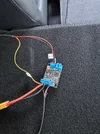
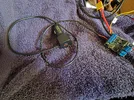
5. "Dual Power Transfer Switch"
R3+ settings:
6. Car input charge - 6A
7. DC - automatic
8. Port memory ON.
9. Charging limits - 0%-100%
10. Reservation - Disabled
11. Wif enabled
12. Bluetooth enabled
Connections:
- Viofo connect using USB-C (using USB-c->15V cable) -> "Dual Power Transfer Switch" -> HK4 ->Viofo
- Original Car cigarette charging port-> Car cigarette charging splitter (1 male-> 2 female)-> 1-st female-> R3+ connected using stock car XT60i cable
Questions:
Q1: Is it possible to minimize the power drain of R3+? (Wifi disable for example)?
Q2. How to disable Bluetooth at all? Maybe this will be usefull to minimize power drain?
maybe you have some usefull tips 🙂
thanks 🙂
Sysio2000
All your settings are good, except:
- Disable the “Output Port memory”, it is not needed for the USB-C port and the USB-C to 15V cable, which activates automatically regardless of the “Port memory”.
The “Port memory” is only needed for 12V DC out if you want it to automatically activate.
This 12V DC out port is regulated and consumes noticeable power when turned ON.
-------------------------
I am not sure if the following will noticeably help with self-consumption, and I think most of these are disabled by default:
-Disable “Auto join” for WiFi
-Disable “Power outage reminder”
-Disable “Low battery reminder”
-Minimize “LCD screen timeout”
-Unbind WiFi in app, by “Change WiFi”
--------------------------
The following is a bit risky, I have never done it and I don’t want to try this on my unit. 🙂
- I think that you can completely reset/disable WiFi and Bluetooth by long pressing the power button while power station is off. (After bip, the wifi sign should flash on screen)
But man, without the app, you’ll miss out on so much convenience!
I am not sure, but, may be you can par the Bluetooth ONLY afterward but keep WiFi Off?
Just be careful not to hold the button for too long - around 10 seconds or so, the unit might perform a full factory reset.
I think it is better to read the manual for this. 🙂
Last edited: