- Joined
- Feb 6, 2016
- Messages
- 4,522
- Reaction score
- 2,633
- Location
- New England
- Country
- United States
- Dash Cam
- Viofo, GitUp
Yes, power should be connected to the GPS mount and not the side USB port.


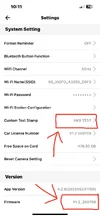
It looks like you have one of or the first public A329WW firmware versions installed. I'm not sure that version supports over-the-air [OTA] firmware updates from the VIOFO Dashcam app. You not only have to use the new "VIOFO Dashcam" app, but the dash camera must have a firmware installed that supports that feature. I don't remember exactly what that version number was for the A329 series.Ok I deleted that old app. Installed the new one which asked what dash cam I have which the other app didn't do that.
I still haven't been able to up the firmwear though it wouldn't let me, even on the new app when I clicked on firmwear it greyed it out but didn't give me an update option.
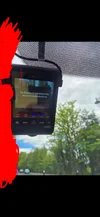
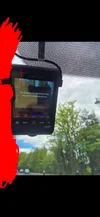
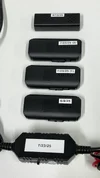
Heres spme more pics if they maybe of use.
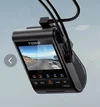
- VIOFO A329S 4K 60FPS Dash Cam (front and rear / 2 channel)
- VIOFO HK6 Hardwire Parking Mode Power Cable for A329S Series
- SanDisk MAX Endurance 256GB memory card
Kuya I have no idea what cables are plugged in where as I gave it to a expert dash cam installer to fit them. But looks like he's not an expert at all.

 www.viofo.com
Heres a photo. Just the two cables the one on the left and the one the other side.I charge $9.99 per minute for private 1 on 1 sessions 🤣
That picture doesn't show the HK6 USB-C plug in the GPS mount on the top side. That's a requirement for the parking mode features to work.Heres a photo. Just the two cables the one on the left and the one the other side.
The USB-C port on the left side is primarily used to connect the A329 series dash camera to an external SSD drive or to your computer. The VIOFO hardwire kit [HK4 or HK6] should be plugged into the USB-C port on the top of the GPS windshield mount.Thanks.
So maybe that could be the issue?
HK6 USB-C plug in the GPS mount is missing.
Is this a seperate cable? Or has it been plugged in the wrong place.?
Would it have come in the box?
The USB-C port on the left side is primarily used to connect the A329 series dash camera to an external SSD drive or to your computer. The VIOFO hardwire kit [HK4 or HK6] should be plugged into the USB-C port on the top of the GPS windshield mount.
If the A329WW does not discover the HK6 via Bluetooth, the "Cut-off Voltage" feature won't be available for use. The low voltage cut-off slide switch setting always works on the HK6, but the one in the dash camera is used for hybrid parking mode functionality [primarily].Ok thanks.
So I can give that a try maybe will make the parking mode to work?
If it does work then is the HK6 not being discovered by the A329W a big deal?
As all I want is parking mode to work and the dash cam to work when driving.
Simple as that. Now it is constantly recording.
For now follow this:All I want is the parking mode issue fixed so it works in parking mode
After doing the steps above, make sure parking mode is enabled, then test.With the A329WW powered down, simply remove the HK6 USB-C connector from the left side of the unit and plug it into the GPS USB-C port on the top side.

There are multiple issues in this thread.
1) The HK6 USB-C cable was not plugged into the USB-C port on the top of the GPS mount - This must be corrected
2) The HK6 not being detected during the A329WW power up is one issue
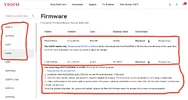
3) The firmware version installed is very old. It may not support updating the firmware with the new VIOFO Dashcam app.
#3 will require using the SD card firmware update process by placing the FWA329WW.bin file in the root directory of the SD card and booting the dash camera with that memory card in the dash camera. Updating to the latest firmware version will likely cause the pre-existing settings to be wiped out, so you'll have to reconfigure the settings again by using the menu system on the dash camera or using the VIOFO Dashcam app. You'll need to document what those settings are before you update the firmware so you can change the settings to those same values after the update.
If the firmware settings for the older [currently installed] firmware have everything set for parking mode to work, then all you have to do is complete the fix for issue #1 and retest.
The other two issues can be addressed later on.


I read your posts and had a question:Thanks.
So maybe that could be the issue?
HK6 USB-C plug in the GPS mount is missing.
Is this a seperate cable? Or has it been plugged in the wrong place.?
Would it have come in the box?
www.viofo.com
I completely agree.OP should request a refund from installer for work not performed.