How to get parking mode to work?

UPDATE.


Plugged cable from left side into top part and now get the message "hardwire kit detected" and also I can now set the voltage.


This may have been the sole issue all along.


As yesterday it was on constant power until I switched it.


However,.now when I turn the ignition off after a few seconds the camera loses all.power and also no notification saying its entering into parking mode.

I tested it and plugged it back into the left side and rather than staying on like yesterday it now looses all power. I am guessing because car hasnt been used since yesterday and has no power left.


So now it appears this is caused by either one or the other below


1) not enough power left on my car battery after ignition is turned off.
(Will test later when out and about and car is in used)

2) Red cable etc has not been connected to the proper battery fuse to supply constant power.

What are others thoughts.

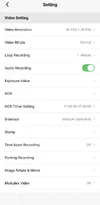
I checked with Viofo and they said my setting were all fine. Unless anyone can see anything wrong?

Thanks so much all.
1000034301.webp
1000034303.webp
1000034305.webp
 

Attachments

  • 1000034299.webp
    1000034299.webp
    40.2 KB · Views: 6
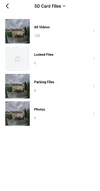
Can you send us a screenshot of your parking recording settings?

Also on the dash cam screen do you see this small icon? This is the parking mode indicator. When this appears it means parking mode is enabled. If it's not there then parking mode is not enabled.
1000151246.webp
1000151247.webp


Edit: Also if you have voice notification enabled, you should also hear a voice notification saying "entering parking mode" or "parking recording will now start" or at least something close to that. Can't quite remember.
 
Unless anyone can see anything wrong?
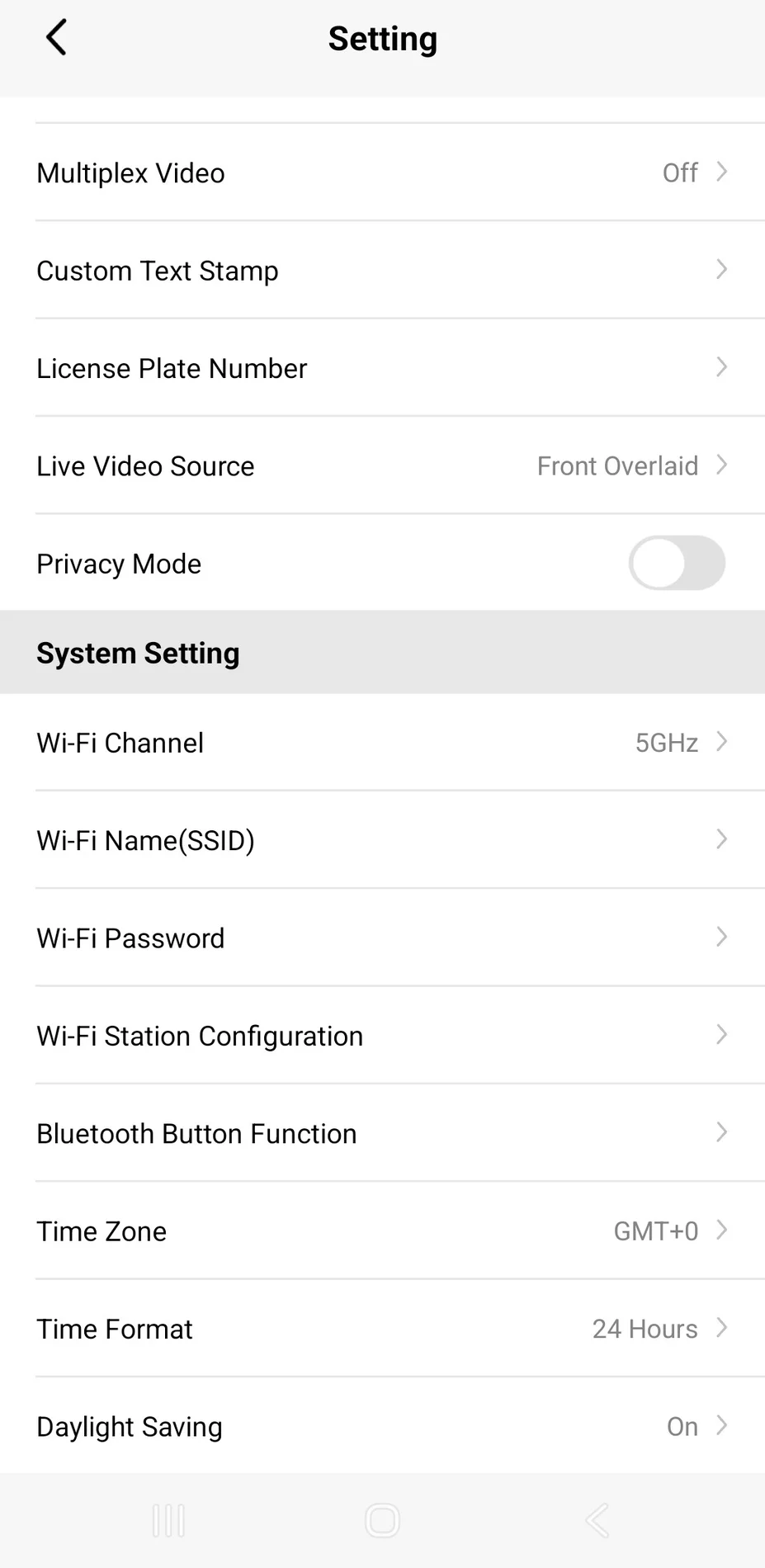
You haven't shown us which parking mode you have enabled.

In the last screenshot, you see "Parking Recording."
Click it and you'll see the parking modes.
 
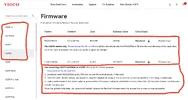
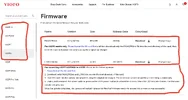
1.) For goodness sakes, please update firmware manually using the traditional method.

2.) Please confirm you have one STANDARD REAR CAMERA, (not 2 waterproof cameras).

3.) A329S has 4 different firmwares available depending on which remote cameras you have.

4.) If you have one standard rear camera you need to install the firmware I’ve circled in red, (see attached screenshot).

https://www.viofo.com/pages/firmware?s=A329S

As for your "NEW" problem it sounds like the red & yellow HK6 wires are not connected correctly to CONSTANT POWER & ACC SWITCHED POWER.
 
As for your "NEW" problem it sounds like the red & yellow HK6 wires are not connected correctly to CONSTANT POWER & ACC SWITCHED POWER.
In this case, the dash cam will run continuously.
However, it turns off after the ignition is turned off.

However,.now when I turn the ignition off after a few seconds the camera loses all.power and also no notification saying its entering into parking mode.
 
For the love that all is holy, UPDATE FIRMWARE! 😛
 
The problem isn't with the firmware.
The dash cam should still enter parking mode even with the older firmware.
 
Ive just used the car for a while and for the first time the camera said "entering into parking mode"
However after 5 mins power went out and my car fash says Battery now in standby mode.

I tried to update the firmware manually..had no luck as it asked to format the sd card first but it failed..will try again manyaly later.

I cant belive the specialist dash cam installer put the wrong cable in the wrong place on the camera. Took me 14 hours of research to finally have you guys to tell me this. Also Viofo when I called them that should have been the first thing they asked.

The parking mode is set too Auto Event Detection. Should I change it to hybrid parking recoding or low power impact Detection etc? As want parking mode to run as long as possible as seems my battery isn't that great.
 

Attachments

  • Screenshot_20260506_153116_VIOFO Dashcam.webp
    Screenshot_20260506_153116_VIOFO Dashcam.webp
    32.5 KB · Views: 6
I tried to update the firmware manually..had no luck as it asked to format the sd card first but it failed..will try again manyaly later.
Use a different SD Card to perform firmware update.
You can use "any" SD Card, (try 8GB - 64GB).
The parking mode is set too Auto Event Detection. Should I change it to hybrid parking recoding or low power impact Detection etc? As want parking mode to run as long as possible as seems my battery isn't that great.
Selecting the "correct" parking mode will depend on how you use your car.
Just to start out, I would try LOW BITRATE then switch to LPID (low power impact detection) based on your desired voltage, or time cut off.
But please update firmware first.
 

Attachments

  • 1 .webp
    1 .webp
    113.4 KB · Views: 5
Thanks.
Now car battery has been fully charged the parking mode is working fine now. A 2 second fix. Can't believe installer did that. Even went back to him and he still didn't figure it out.

Do you think I should ask for a refund from installer?

Also not sure how long the parking mode will work for on my Dacia Sandero 2022 as its a
12V
Around 70Ah
Around 760A CCA

Do you think I should get a better battery space parking mode works longer?.if so what battery should I get?

What does it mean when the red recoding light flashes red?

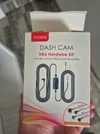
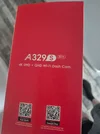
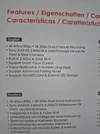
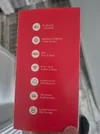
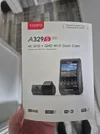
In terms of the question about what type of dash cam I have and the rear one. Heres the boxes if that's any help in relation to firmwear.

The updating of it and formatting the SD card sound very complex.

So your saying I should get another SD card rather than the one in the dash cam and format that? If so what size gb should I get?

Also with my old nextbase dashcam every week I had to format the SD card on the camera which erased all videos otherwise it would stop working correctly. It was easy. I just scrolled to format on the camera and pressed OK.
Do do the same with this dashcam and if so how on the camera do I do this?

Thanks so much again to everyone. Without your help I may still have a useless dashcam.
 

Attachments

  • 20260506_145844.webp
    20260506_145844.webp
    123.5 KB · Views: 4
  • 20260506_145832.webp
    20260506_145832.webp
    162 KB · Views: 4
  • 20260506_145827.webp
    20260506_145827.webp
    110.4 KB · Views: 5
  • 20260506_145819.webp
    20260506_145819.webp
    160 KB · Views: 6
  • 20260506_145815.webp
    20260506_145815.webp
    92.8 KB · Views: 4
Short Cut for Formatting SD Card.
View attachment 91386I


FYI with my A329TC and original A329, I just have to stop recording and then long press the REC button and when released the format option comes up. (In case anyone was wondering: just like using the cam menu options or app, you can select either the SSD or SD card when someone like me has both in use)
 
Last edited:
Do you think I should ask for a refund from installer?
Yes, he also deserves to be slapped over the head with the User Manual for my pain & suffering 🤣
He failed to;
1.) Update firmware
2.) Connect HK6 to GPS module
3.) Verify parking mode operation
Do you think I should get a better battery space parking mode works longer?.if so what battery should I get?
It depends on how long you require / want continuous parking mode.
If you can fit a larger battery maybe that might work, or you may need a Dash Cam Battery Pack.
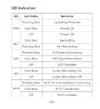
What does it mean when the red recoding light flashes red?
Red Light Solid: Recording
Red Light Flashing: Not Recording
The updating of it and formatting the SD card sound very complex.

So your saying I should get another SD card rather than the one in the dash cam and format that? If so what size gb should I get?

Also with my old nextbase dashcam every week I had to format the SD card on the camera which erased all videos otherwise it would stop working correctly. It was easy. I just scrolled to format on the camera and pressed OK.
Do do the same with this dashcam and if so how on the camera do I do this?
Updating the firmware is a piece of piss.
Use any SD Card, any size.
Once you get everything working you only need to format SD Card once a month.
Here's a step by step video in real time I recently made for a friend.
Learn it, live it, love it 🤣


Attachments

  • LED Indicators .webp
    LED Indicators .webp
    49.3 KB · Views: 3
  • Firmware .webp
    Firmware .webp
    113.4 KB · Views: 3
Thanks Chuck and all.

A few questions if I may.

1) Forester kindly posted the instructions for formatting the sd card on the dash cam. Will this work fine on my dash cam?

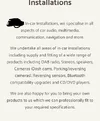
2) Dash Cam installers wont give a refund. They said we just install we dont ensure its set up and working correctly, we dont get involved in that, we just install it and Viofo is not a brand we install so dont know anything about it". Ive added a screenshot from their Web page.
Not sure if I can go through my bank to get a refund or what proof I need to get that they installed it incorrectly.

The amount of hassle and time it took to get it fixed by myself, you and others on the forum when it was a simple 2 second fix.

3) Left car parked over night in my driveway and this morning dashcam has lost power.
Is there anyway to know when it lost power so I know how long I get on a full battery charge?
(Ive a Dacia 2022 essential)

4) Wondering about a battery pack. But wow they are more than the dash cam.
Looking at this one. Any recommendations for a dash cam?

5) How does a battery pack install? Just connect it to the dashcam and it sits next to it on the windshield? Can it be done by someone like myself who is not technically minded or good at technology at all.


Ill try and see if I can update the firmwear on the dash cam again.
 

Attachments

  • Screenshot_20260507_123812_Chrome~2.webp
    Screenshot_20260507_123812_Chrome~2.webp
    80.1 KB · Views: 4
@cartyre said:
3) Left car parked over night in my driveway and this morning dashcam has lost power.
Is there anyway to know when it lost power so I know how long I get on a full battery charge?

@Chuck McCoy said:
Set parking mode to LOW BITRATE.
Do your normal drive to get home.
The next morning look at the last video file on the SD card.
That will tell you how long parking mode operation was.
 
1) Forester kindly posted the instructions for formatting the sd card on the dash cam. Will this work fine on my dash cam?

There's like 3 different ways to format SD Card, they all work.
1.) Use APP
2.) Use LCD Screen Menu
3.) Shortcut mentioned by Forester
 
4) Wondering about a battery pack. But wow they are more than the dash cam.
Looking at this one. Any recommendations for a dash cam?

Hold off on dash cam battery pack for now.
I'm getting a new model for testing delivered today.

5) How does a battery pack install? Just connect it to the dashcam and it sits next to it on the windshield? Can it be done by someone like myself who is not technically minded or good at technology at all.

Wiring a dash cam battery pack can be easier than hardwiring a dash cam through the fuse box because you have the option of using CLA (cigarette lighter adapter) for power.
Most people put the dash cam battery pack in the glove box, or under the seat.

Please update the mother loving firmware 🤣
 
Back
Top