Reviewing and Testing the Vantrue Nexus 5S

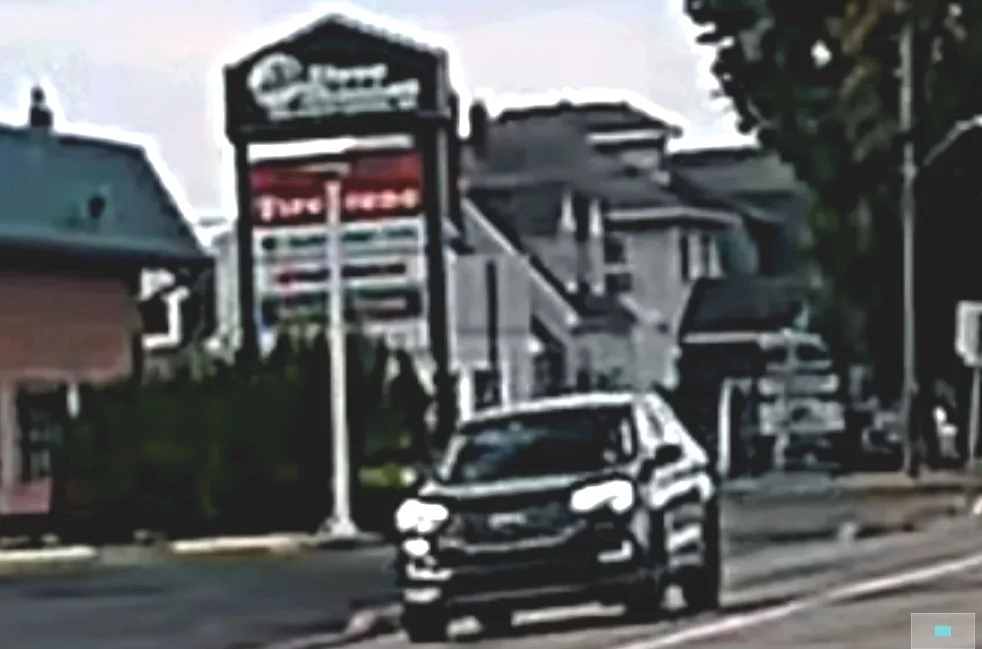
The images above are "dynamic" images. The ambulance is moving away from my stationary car about about 35-40mph. From the same video files, I decided to zoom in and crop around a stationary object for a comparison of "static" elements captured by each of the cameras. All three cameras have a polarizer installed, all three cameras have HDR/WDR enabled. The N4S also has PlatePix enabled (which results in an overall darker image, so I need to adjust the EV to +0.6 for compensation). Here are the results:

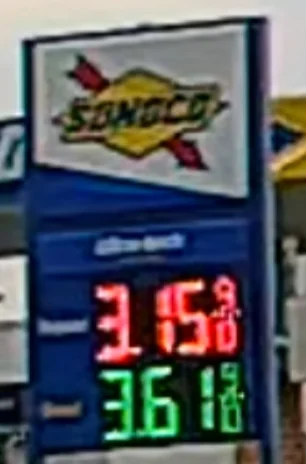
N5S, 2.5k, WDR enabled, Polarizer installed:
N5S Gas Station 250p.webp


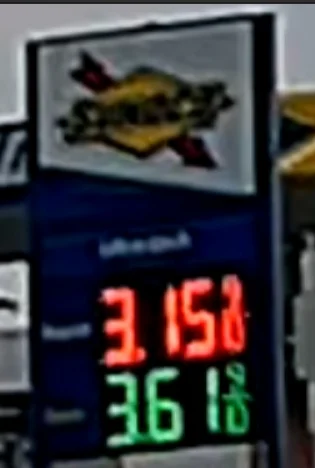
N4S, 2.5k, HDR and PlatePix enabled, Polarizer installed. The first image (on the left) is a direct screen cap, the second image (on the right) is what I got after adjusting brightness and contrast to compensate for not using adjusting the EV setting in the camera).
N4S Gas Station 250p.webp
N4S Gas Station 250p tweaked.webp


A139Pro, 4k resolution, HDR on, Polarizer installed:
A139P Gas Station 250p.webp


Not surprisingly, the A139P renders the clearest image, but it is also a 4k front camera (N4S and N5S are 2.5k) so this is not quite an apples-to-apples comparison.
The N5S produces a much cleaner image than the N4S in this static setting, same as it did for the dynamic scene I posted directly above, even after accounting for the darker image (and adjusting brightness/contrast) from the N4S. Again, this is surprising performance because I have been led to believe (based on various online readings and sources) that HDR provides superior results to WDR. My findings illustrate the opposite effect. I was also expecting the N4S to outperform the N5S because it is processing less data overall (three video streams with the N4S instead of four with the N5S). Perhaps the difference lies in the PlatePix processing in the N4S. I'll need to make additional videos to tease this out of the visual data...

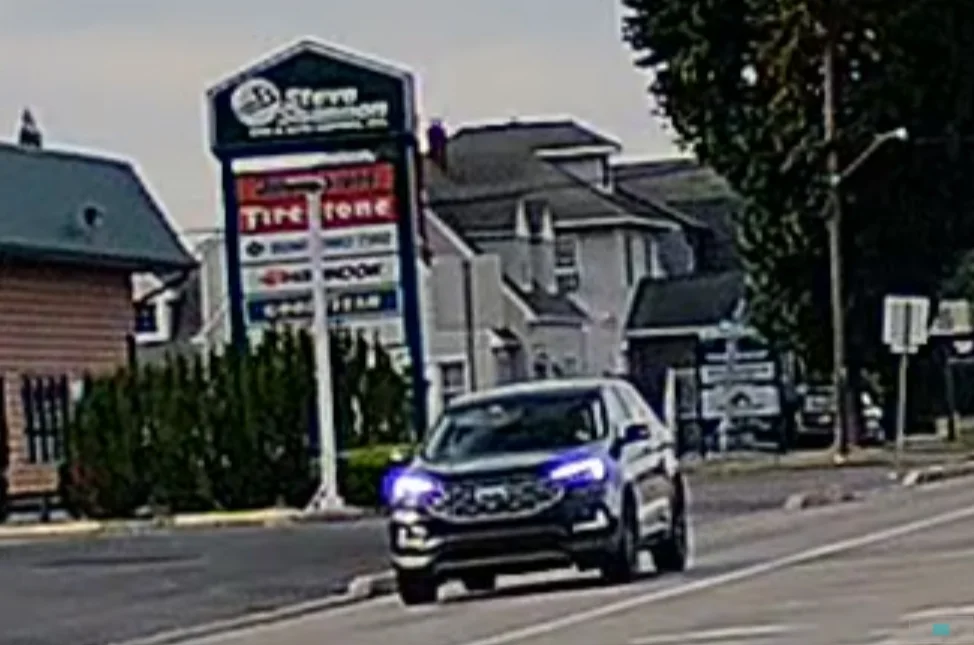
Here are three more 300 percent zoom/crop screen caps of the approaching car in the oncoming lane that were made at exactly the same instant in time (ambulance rear wheel aligned with the second stripe of the crosswalk, exactly as shown in the post above). HDR/WDR enabled for all, PlatePix enabled for the N4S, Polarizer installed on all three cameras.

N5S, 2.5k front camera
N5S Approaching Car 300p.webp


N4S, 2.5k camera. This is not the actual output from the N4S camera, I used photo editing software to adjust the brightness and contrast because the HDR+PlatePix settings resulted in under exposure. Tweaking the image in photo editing software enabled me to brighten the image for better detail-level comparison, but it also resulted in color crush, so the colors are no longer accurate.
N4S Approaching Car 300p.webp


A139P 4k camera
A139P Approaching Car.webp


The N5S renders a bit more color in the overall scene and better preserves the detail in the grillwork of the oncoming car than the N4S does. The increased resolution of the A139P shows here, but it also reveals a bit of ghosting which might be an artifact of the HDR function.

Overall, I'm really pleased so far with the performance of the N5S. Its image quality surpasses what I expected (with both moving and stationary targets) AND it has 4 cameras that provide a superior view of the sides of the vehicle for greater documentation and protection. That's impressive to be stuffing data from MORE cameras through the processor and still end up with better image quality.

I have a long drive tomorrow and I plan to change the HDR/WDR functions back to night-time timer duty (all were turned on here) and I'll adjust the exposure compensation on the N4S so it produces brighter images more commensurate with the output of the other two cameras. This will allow a comparison with both my vehicle and the other vehicles all in motion.
 
Last edited:
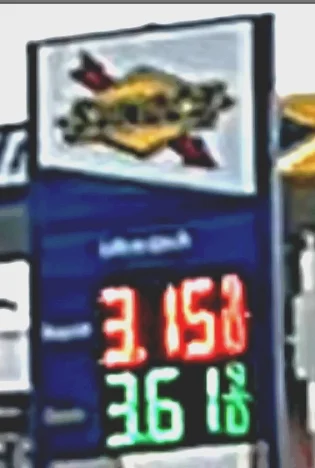
The images above are "dynamic" images. The ambulance is moving away from my stationary car about about 35-40mph. From the same video files, I decided to zoom in and crop around a stationary object for a comparison of "static" elements captured by each of the cameras. All three cameras have a polarizer installed, all three cameras have HDR/WDR enabled. The N4S also has PlatePix enabled (which results in an overall darker image, so I need to adjust the EV to +0.6 for compensation). Here are the results:

N5S, 2.5k, WDR enabled, Polarizer installed:
View attachment 85298

N4S, 2.5k, HDR and PlatePix enabled, Polarizer installed. The first image (on the left) is a direct screen cap, the second image (on the right) is what I got after adjusting brightness and contrast to compensate for not using adjusting the EV setting in the camera).
View attachment 85299 View attachment 85301

A139Pro, 4k resolution, HDR on, Polarizer installed:

View attachment 85300

Not surprisingly, the A139P renders the clearest image, but it is also a 4k front camera so this is not quite an apples-to-apples comparison.
The N5S produces a much cleaner image than the N4S in this static setting, same as it did for the dynamic scene I posted directly above, even after accounting for the darker image (and adjusting brightness/contrast) from the N4S. Again, this is surprising performance because I have been led to believe (based on various online readings and sources) that HDR provides superior results to WDR. My findings illustrate the opposite effect. I was also expecting the N4S to outperform the N5S because it is processing less data overall (three video streams with the N4S instead of four with the N5S).

Here are three more 300 percent zoom/crop screen caps of the approaching car in the oncoming lane that were made at exactly the same instant in time (ambulance rear wheel aligned with the second stripe of the crosswalk, exactly as shown in the post above). HDR/WDR enabled for all, PlatePix enabled for the N4S, Polarizer installed on all three cameras.

N5S, 2.5k front camera
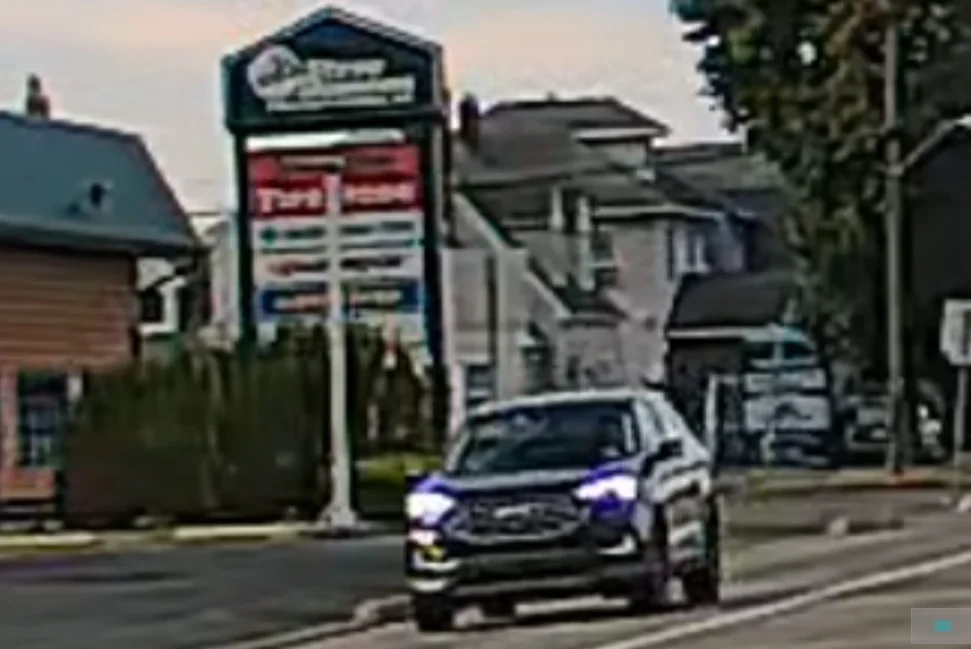
View attachment 85302

N4S, 2.5k camera (adjusted brightness and contrast - resulting in some color crush):
View attachment 85303

A139P 4k camera
View attachment 85304

The N5S renders a bit more color in the overall scene and better preserves the detail in the grillwork of the oncoming car than the N4S does. The increased resolution of the A139P shows here, but it also reveals a bit of ghosting which might be an artifact of the HDR function.

Overall, I'm really pleased so far with the performance of the N5S. Its image quality surpasses what I expected (with both moving and stationary targets) AND it has 4 cameras that provide a superior view of the sides of the vehicle for greater documentation and protection. That's impressive to be stuffing MORE data through the processor and still end up with better image quality.

I have a long drive tomorrow and I plan to change the HDR/WDR functions back to night-time timer duty (all were turned on here) and I'll adjust the exposure compensation on the N4S so it produces brighter images more commensurate with the output of the other two cameras. This will allow a comparison with both my vehicle and the other vehicles all in motion.

Great review. The Blurry Rear Video on Preview is a current bug on N5S. Sent info to Vantrue. Testing camera for stability now.
 
Here is a comparison of the images from the rear cameras of the same three cameras. HDR is enabled for both the N5S and the N4S, the A139P does not have HDR for the rear camera, but I have installed a polarizer on the A139P.

N5S rear, no polarizer, HDR enabled
N5S Rear Frame.webp


N4S rear, no polarizer, HDR enabled
N4S Rear Frame.webp


A139P rear with Viofo CPL-300 polarizer
A139P Rear Frame.webp


Overall, there is very similar color rendition and detail evident in the entire frame from each camera shown above. Window reflection from the N5S and N4S is highly similar, neither have a polarizer. The reduction in glare on the windshield of the car behind me is due to the presence of a polarizer lens I installed on the A139P. The A139P also exhibits the greatest amount of distortion at the edges of the frame - this is most evident in the brick work of the building on the left side of the image.

Here are some 100% zooms/crops of the car immediately behind me while I was stopped at the light. This is where adding the polarizer to the rear camera (for the A139P) helps as it removes the reflection of the clouds on the window so you can see the occupants more directly.

N5S 2.5k rear camera, HDR on:
N5S Rear 100p.webp


N4S 2.5k rear camera HDR on:
N4S Rear 100p.webp


And finally the A139, 1k rear camera, no HDR, polarizer installed:
A139P Rear 100p.webp


And for a comparison of resolution/rendering here are three 250% zooms on a road sign from the right side of the overall image:

N5S rear no polarizer
N5S Nails 250p.webp


N4S rear no polarizer
N4S Nails 250p.webp


A139P rear with polarizer
A139P Nails 250p.webp


It is evident that the N5S and N4S show a bit of "screen door" effect due to the reflection of my rear dash on the inside of the rear window. A polarizer would help here. The N4S rear image appears to quite a bit sharper than the same capture from the N5S, though it also contains some ghosting on the right side of the sign. This difference in sharpness is a bit perplexing: it is my understanding that they both use the same rear camera (IMX675) and I would presume the same lens, too (but I'm guessing here). The A139P has the lowest resolution of all three and exhibits some ghosting on the right side of the sign as well. The A139P is the lowest resolution of the three here and it shows.
 
Last edited:
Great review. The Blurry Rear Video on Preview is a current bug on N5S. Sent info to Vantrue. Testing camera for stability now.
Thanks, but I think you may have confused something here. None of the images above your post are from the rear camera. All images are lifted directly from the MP4 files from the front cameras, not from the view in the app.
 
@EricSan when you connect to the camera's wifi and preview the live video feed, the rear camera feed is blurry on live view. I raised this issue. Playing all videos, the files are clear.

Btw, I would still give the edge to the A139P on rear video, but the Vantrue Cameras are not far off!
 
Ah, I thought you were reacting to the specific images that I just posted…. I also noted the blurry in app view. I’m guessing that is an issue with the app.
 
Ah, I thought you were reacting to the specific images that I just posted…. I also noted the blurry in app view. I’m guessing that is an issue with the app.

It's an issue with the firmware. Vantrue corrected the problem after I brought to their attention on the N4S, N4 Pro S, and I forget the other models. I'm just now testing the N5S and noticed that being an uncorrected issue. I am going through the camera's features and functions looking for bugs not that I have some time to do so again.
 
Here is an interesting comparison of images from the rear cameras of the Vantrue N5S, the N4S and the Viofo A139 Pro cameras. It's not quite a "uniform" comparison, but the N5S camera shows some interesting results in this field. When going back to check the camera settings that produced these images, I also made an interesting discovery: The N5S camera has a WDR (Wide Dynamic Range) setting for the front cameras (both internal and external) that can be turned on or off, but there is no timer function for these settings. The same is true for the the N5S rear camera - it has an HDR (High Dynamic Range) setting for both that internal and external camera that can similarly be turned on and off, but there is no automatic timer function for it like the N4S camera has... The only option is a global on/off function for both front and rear cameras. Curious....

@Jeff_Vantrue: why doesn't the N5S camera have a timer for the WDR/HDR functions? This seems like an easy setting to include in the menus. I suspect there is some insight that I am missing (or I am blind and just didn't see the setting in the menus)?

I reviewed several seconds of video from each camera and selected the single best frame from each camera, thus the perspective and timing of each image are a bit different.

N5S 2.5k rear camera, HDR is enabled for the rear, total speed difference of about 40-45mph. The HDR likely explains the double exposure outline evident on the right hand side of the rear of the car. Overall, the N5S produces the closest thing to a readable plate with the sun directly shining on it at 5p in the evening - bit the number is still not discernible.
N5S Subaru Rear Cam.webp


N4S 2.5k rear camera, HDR is disabled (timer set to night time), same speed difference of about 40-45mph, EV set to +0.3. Total washout on the rear plate. The image would not have been any more readable if EV was set to 0.0, 1/3 of a stop is not enough of a difference to go from "readable" to washout.
N4S Subaru Rear Cam.webp


And from the A139 Pro, 1k resolution, no rear HDR, but the rear camera does have a polarizer installed. Still a total washout for the numbers, but from the color pattern, you can tell it is a Pennsylvania plate.
A139P Subaru Rear Cam.webp


This is an interesting set of results...
 
Last edited:
Here is another comparison of the front cameras from the N5S and the N4S. Both front cameras are 2.5k resolution. HDR/WDR is turned off in both cameras. I removed the polarizer from the N5S, but left it installed on the N4S, which also has PlatePix enabled. Here is the overall scene:

N5S: WDR is off, no polarizer installed:
N5S at light full frame.webp


N4S, same scene, HDR is off, PlatePix enabled, Polarizer installed:
N4S at light full frame.webp


And here are the plate captures - for all of these images, I started by selecting the frame where the rear wheels were just past the white line, and then looked at the same scene advanced by 5 frames and 6 frames.

N5S (WDR off, no polarizer) with car wheels just past the white line
N5S at Light 250p.webp


And N5S 5 frames later. This plate is still largely readable.
N5S at light 5 frames later.webp


Here are the same frames from the N4S (HDR off, PlatePix on, Polarizer installed) - first up with the rear wheels just past the white line in the road
N4S at light 250p.webp


And the N4S advanced by 5 frames. This is still readable, but it's getting harder.
N4S at light 5 frames later.webp


This is the N5S six frames after the white line in the road - the first two letters are beginning to fade now.
N5S at light 6 frames later.webp


This is the N4S six frames after the while line in the road - same as above, the first two letters are beginning to fade here as well.
N4S at light 6 frames later.webp


Here is a different layout of the images above that makes comparisons a bit easier to see. You can see the file names in the light blue strip at the top of each image.
Top row is N5S, bottom row is N4S.
Compare Grid.webp


This is a curious comparison, the N5S without WDR or a polarizer seems to have a slight advantage over the N4S with PlatePix enabled and a polarizer installed. I guess I should give it one more comparison with no polarizer on both cameras.
 
Last edited:
@EricSan I noticed a lack of timer feature, too.

I am guessing because WDR is Hardware based and HDR is software based? However, only @Jeff_Vantrue can answer why a timer feature was omitted

WDR doesn't take multiple images. There should be no outline.

HDR takes 3 images and uses software to merge these images together to create a "single picture".
 
I'm wondering if the WDR doesn't come with a timer because it is intended for both daytime and nighttime use. All of the descriptions that I see of WDR talk about both day and night lighting challenges, whereas HDR descriptions seems to focus on nighttime use.

@jsmith According the descriptions of WDR on the Vantrue webpage, this page, and this webpage, the wide dynamic range images is made by combining multiple exposures. From Vantrue's page: "...dash cams with WDR are designed to handle these challenging lighting conditions. They work by capturing multiple images at different exposures and then combining them to create a single, well-balanced image." It seems that the operational difference is that WDR is hardware implemented, whereas HDR is software implemented. My guess is that using WDR for the front camera reduces the burden on the processor that frees up bandwidth to simultaneously encode four video streams.

Given that the frame rate of the IMX675 (in 12-bit mode) is 60fps, I suspect HDR is achieved by combining two images instead of three (which is more common with DSLR cameras).
 
I'm wondering if the WDR doesn't come with a timer because it is intended for both daytime and nighttime use. All of the descriptions that I see of WDR talk about both day and night lighting challenges, whereas HDR descriptions seems to focus on nighttime use.

@jsmith According the descriptions of WDR on the Vantrue webpage, this page, and this webpage, the wide dynamic range images is made by combining multiple exposures. From Vantrue's page: "...dash cams with WDR are designed to handle these challenging lighting conditions. They work by capturing multiple images at different exposures and then combining them to create a single, well-balanced image." It seems that the operational difference is that WDR is hardware implemented, whereas HDR is software implemented. My guess is that using WDR for the front camera reduces the burden on the processor that frees up bandwidth to simultaneously encode four video streams.

Given that the frame rate of the IMX675 (in 12-bit mode) is 60fps, I suspect HDR is achieved by combining two images instead of three (which is more common with DSLR cameras).

You are confusing two separate and distinct features. WDR uses multiple images to meter the picture's brightness via hardware. HDR takes 3 images to overlay one upon the other in an effort to make text more easily readable. This is done via software.
 
Last edited:
@Jeff_Vantrue: why doesn't the N5S camera have a timer for the WDR/HDR functions? This seems like an easy setting to include in the menus. I suspect there is some insight that I am missing (or I am blind and just didn't see the setting in the menus)?
The N5S doesn’t have a WDR/HDR timer at the moment. We’re planning to gradually improve the menu and add more options in future updates.
 
I've been pretty impressed with the Vantrue Suction Cup Mount so far. The N4S (left) and N5S (right) are mounted side by side at the top of the passenger side front window. The mechanism for the Suction Cup Mount has much greater vertical range of motion than it does horizontal range of motion, but even when the camera is mounted all of the way in the corner of the windshield, there is still sufficient range of movement to aim the camera directly straight ahead, despite the curvature of the window.

IMG_17089.webp


And here is a closeup of the mount and the camera. The suction cup isn't necessarily a "sticky" cup that has a soft rubber adhesive like the suction cup mount for my radar detector (that darn thing sticks to everything, including dust and debris that I don't want it to), but is a rubber mount that forms a seal on the windshield then draws an enormous vacuum when you rotate the GPS receiver from the "unlocked" to the "locked" position. It holds VERY securely and I haven't have any trouble with it moving around or letting go. It holds the camera exactly as I positioned it when I first installed it. Awesome!

I also discovered today just how hard it is to make an image of front windshield when the car is in the garage without getting tremendous glare from my lights on the car windshield. That was a fun challenge!
IMG_17090.webp
 
The suction cup doesn't like my tint, but did work well on a non tinted window. I took out the N4 Pro S and installed the N5S. Vantrue sent me a firmware to test. The rear video at a distance appears blurry, like was the issue on the N4S. I'll report back once I test. Updated but didn't have a chance to look at preview yet.

Are you doing a side by side of the N4 Pro S and N5S? I really like the N5S "360" view of my vehicle. While it isn't as high of a resolution as the N4 Pro S, the N5S captures what my other camera doesn't (A139 Pro). Like you I have the A139 Pro mounted permanently on my windshield.

Wish Viofo sent me the A329 to test, as I love testing cameras for bugs (lucky you), but can't win them all.
 
Are you doing a side by side of the N4 Pro S and N5S?

I started a comparison here (post 45), but have more work to do. My previous comparison was not exactly a direct compare because the N4S had PlatePix enabled and a polarizer installed while the N5S did not have either. There are so may combinations of things to turn on/off that robust comparisons become rather time consuming and tedious.
 
I started building a table because I was curious to see how long certain memory cards would last with the Vantrue N5S camera. So I started poking into the file sizes and quantity of files that result from my typical usage patterns for this camera.

When I drive to work (I often ride my bike) I have a 5-7 minute drive and then my car sits in the parking lot for 8-9 hours, so most of the SD card space is consumed with Low Bit Rate Parking Mode videos (as opposed to normal drive mode videos). I wanted to know how long various size memory cards would last given this usage pattern. This data comes from adding up the file sizes from a full 8 hours of videos that resulted from Low Bit Rate Parking Mode with all 4 channels recording. With the N5S, you can set LBR parking mode to record with all 4 cameras, 3 cameras, 2 cameras, or only one camera. Here are the menu choices for which cameras record during LBR parking mode:

Parking Mode Camera Selection.webp


So here are the data results:
N5S Park Mode SD Card Usage.webp


Personally, I'd like to have at least of week's worth of recording capacity that will give me some time to find a door ding or dent before the recordings get overwritten, so it's looking like a 512G card is my best option for this camera that spits out such a large data stream in 4-ch mode.
 
Last edited:
I also made some measurements of the Vantrue hardwire kits to look at both the accuracy of their battery protection voltage settings and their overall power draw while in drive mode and in parking mode. I tend to think that power draw while in drive mode (with both Red and Yellow wires receiving 12v from the car's electrical system) is mostly irrelevant because the engine is running, so the car's electrical system is energized and charging. Power draw in parking mode (only the Red wire is receiving 12v from the car's electrical system) is much more relevant, since you are drawing battery power at this point. Every bit of power not used to power the camera reduces the available duration of parking recordings by drawing down either your car's main battery or your parking battery.

Here are the specific units that I'm measuring:

IMG_14993.webp


Vantrue VP05 (II) Kit.webp


Here are the results:

Vantrue Hardwire Kits.webp


Both units feature slightly less power draw in parking mode vs drive mode, which is to be expected. The larger power draw of the VP05 (II) is also expected, it has a green LED voltage display that is active as long as the hardwire kit is receiving power. If you are using the hardwire kits simply to power your camera when the car's ignition is turned on, power consumption figures are irrelevant. If, however, you are going to perform a 3-wire install to take advantage of parking mode recording, you need to be aware that there is a persistent power draw, even if the cameras are turned off.

Let's put some real-world implications behind the parking mode power consumption of these two hardwire kits:
The VP03(II) consumes 0.0.65w/hr, which means it will take 15 hours to consume a total of 1w of battery power. That means it will consume 10.92w of battery power for every WEEK that it is connected to your battery. That's about the same power draw as running a typical dashcam for 2 hours. With the VP05(II) kit, weekly power consumption is now 27.38w (nearly 3x higher, so equal to ~6 hours of dashcam use). This is not a big deal if you drive fairly frequently (at least a few mins of driving each week). If your car sits for months without use, this power draw will add up, but the bigger question is why do you own a car if it sits around for months at a time...

The overall surprise to me was just how precise each hardwire kit is with its shut-off voltage. In the 12v range for cars, the accuracy is excellent, shutting down the camera when the voltage drops below the setting by a mere 0.02v. For large trucks that use a 24v system, the precision is equally impressive, shutting down the camera when the voltage drops below the setting by only 0.03v. The shut-off function does not happen immediately. There appears to be a timer circuit in the regulator that shuts things down after about 1-2 mins below the voltage setting chosen with the switch. This is excellent precision.

It is also worth noting the different specification for current delivery for each of these units: The VP03 is rated to 2.0A (about 10w) whereas the VP05 is rated to 2.5A (about 12.5w). This difference is potentially important as power draw clearly increases along with processing requirements (HDR, PlatePix) and the number of cameras (2-ch vs 3-ch vs 4-ch) increase. I have not yet "stress tested" either of these by placing a full load on them that matches their specified current delivery to see where the voltage delivery is at that point. As with most products, the fun really starts at the edges of the design thresholds.

A final note about using hardwire kits (from any brand, really). Extending the 5v output wire that goes from the regulator to your dashcam is a bad idea. Longer wires have greater resistance and will exhibit greater voltage drop than shorter wires do. If you extend the wire on the 5v output side of the regulator, it is very likely that you'll experience problems with your camera. The most likely problem is frequent power cycling. If you absolutely need to extend wires to make things work in your car, the added length is best on the 12v input side for the regulator. The voltage regulator is somewhat less sensitive to longer cable runs on the input side. If you do extend the input wires, using a reasonably heavy wire will help minimize the voltage loss. I would recommend using 20g wire as a minimum, 18g wire would be better.
 
Last edited:
@EricSan @Jeff_Vantrue

There really needs to be a 12.2 Option as 12.0 is only 25% of your battery life remaining and 12.4 = 75%. So you're stuck with very little record time or running down your battery. 12.2 = 50% and is preferred. I've set mine apprehensively to 12.0.
 
@EricSan @Jeff_Vantrue

There really needs to be a 12.2 Option as 12.0 is only 25% of your battery life remaining and 12.4 = 75%. So you're stuck with very little record time or running down your battery. 12.2 = 50% and is preferred. I've set mine apprehensively to 12.0.
Thank you for your suggestion. We’ll take it into consideration and evaluate it along with other feedback.
 
Back
Top