Ziradon
Member
Yes, the 329T version has it, but the 329TC (telephoto + fisheye) does not.I just checked my A329T on the 2.0 beta and I do have that option.

Yes, the 329T version has it, but the 329TC (telephoto + fisheye) does not.I just checked my A329T on the 2.0 beta and I do have that option.
The new beta options are not showing (yet) with the app, atleast the ios app.
But you can set it directly on the dashcam.
It in Video Settings ->Parking recording->GeofencingWhere exactly are the new geofencing settings--in the main list or in a submenu? If in the main menu, following what previous setting?

So parking mode resets are corrected even for low power impact detection and hybrid parking mode?Yes, it is included.

The beta version of the Viofo app for Android also lacks many of the new settings of firmware version 2.0.It seems the ios viofo beta app is missing all the new 2.0 settings.
AHA! Thank you--as soon as I posted my question, the thought occurred to me that I should have tried directly on the camera.

I am running a (potentially older) version of 2.0 and took the cam off the mount today to reattach the CPL. This resulted in my parking mode changing from Hybrid to Off.So parking mode resets are corrected even for low power impact detection and hybrid parking mode?

I figured that would not be correctedI am running a (potentially older) version of 2.0 and took the cam off the mount today to reattach the CPL. This resulted in my parking mode changing from Hybrid to Off.
I want to check again after downloading this recently posted version.


Booting time will be optimized in V2.1
i tested it and it did not.About the parking mode reset, we did some testing on our side, like set it for impact mode, then remove the camera from the GPS mount and then power it again with GPS mount attached, the parking mode settings remained.
Booting time will be optimized in V2.1 or later version, we will optimize the A229 Plus, Pro first.

I’ve been crying for an APP Live View Alignment Line for 2 years, 3 months.
You don’t know how thankful, and happy I am. lol
❤️❤️❤️❤️❤️❤️❤️❤️❤️❤️❤️❤️❤️❤️❤️❤️❤️❤️❤️❤️❤️❤️❤️❤️❤️❤️❤️❤️❤️❤️❤️❤️❤️❤️❤️❤️❤️❤️❤️❤️❤️❤️❤️❤️❤️❤️❤️❤️❤️❤️
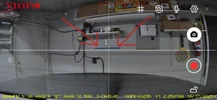
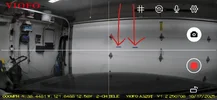
Now I can easily align dash cams in my garage without waiting for the sun to come up, or burning a drop of gasoline, (50% Road & 50% Sky).
That’s what the Blue Painter’s Tape on the garage door / wall represents, (horizon line).
Thank you.
Thank you.
Thank you.
https://apps.apple.com/us/app/viofo记录仪/id6738685801?uo=2
1.) APP Live View Alignment Line for 50/50 Road & Sky orientation.
Similar to Vantrue, (see attached screenshot courtesy of @rcg530)
2.) Voice Notifications For Parking Mode Events courtesy of @Vortex Radar
3.) Voice Command guard phrase; “OK Viofo, Lock The Video”. Courtesy of @rcg530
4.) Disable automatic Wi-Fi on start up, (must enable Wi-Fi manually each time). Courtesy of @safedrivesolutions
5.) Include Viofo 32GB SD Card with $10 price increase.
So the consumer can complete initial set up, pre-installation testing, recording malfunction diagnosis, perform...
- Chuck McCoy
- Replies: 231
- Forum: VIOFO Other

100% this. It all comes down to personal preference as to how much of the frame they want to be the sky or the road. Some folks prefer less of the dashboard and some more. It's not a set in stone requirement as Lufa points out.Unless that horizontal bar/line works as a level, to enable the user to mount the lens perpendicular to the ground, that horizontal line is essentially useless. Being able to mount perpendicular is of more value to a user
that has multiple dashcams on the screen, or is mounting at a curvature on the windscreen.
There are no standards or requirements for the screen to be split 50/50 between sky and ground.