VIOFO A119 MINI_2 FIRMWARE

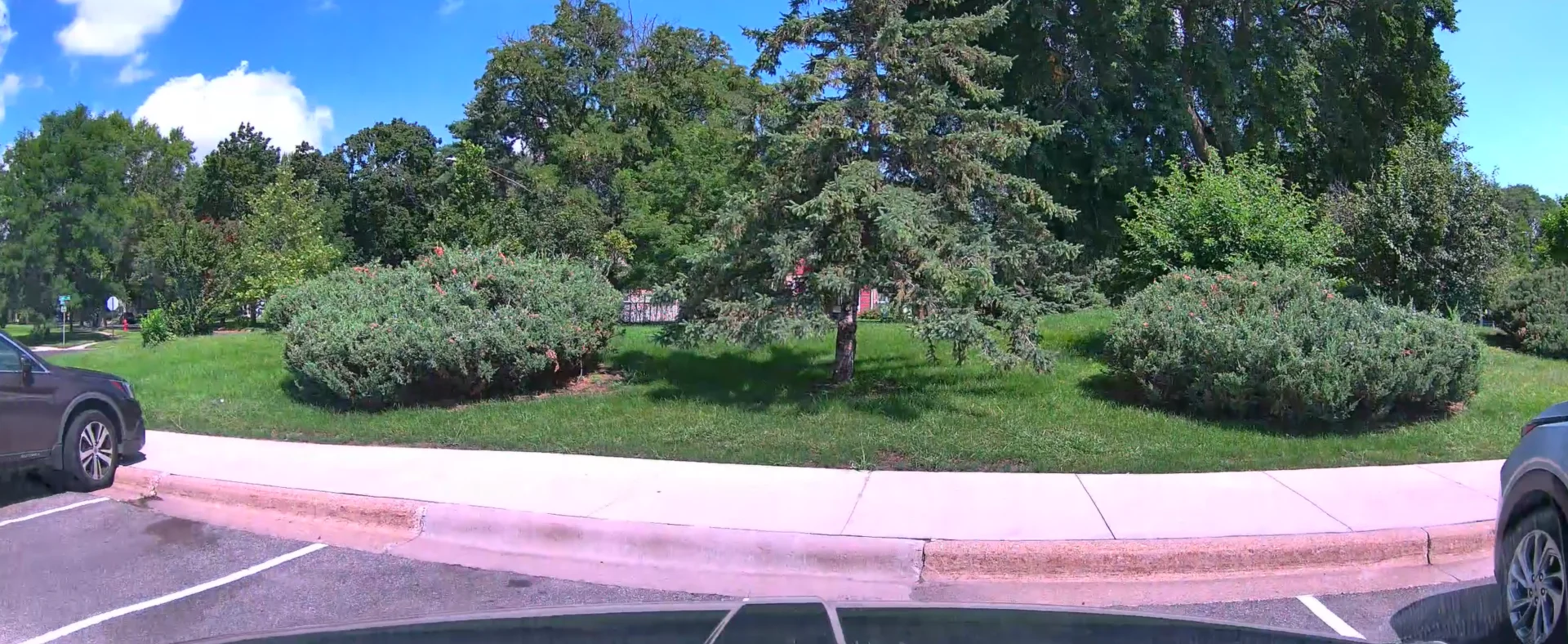
Randomly was pull footage from my cam, and noticed, Purple tint to the roads when it is very sunny and bright out.
20250819132856_000018_00.01.04.webp

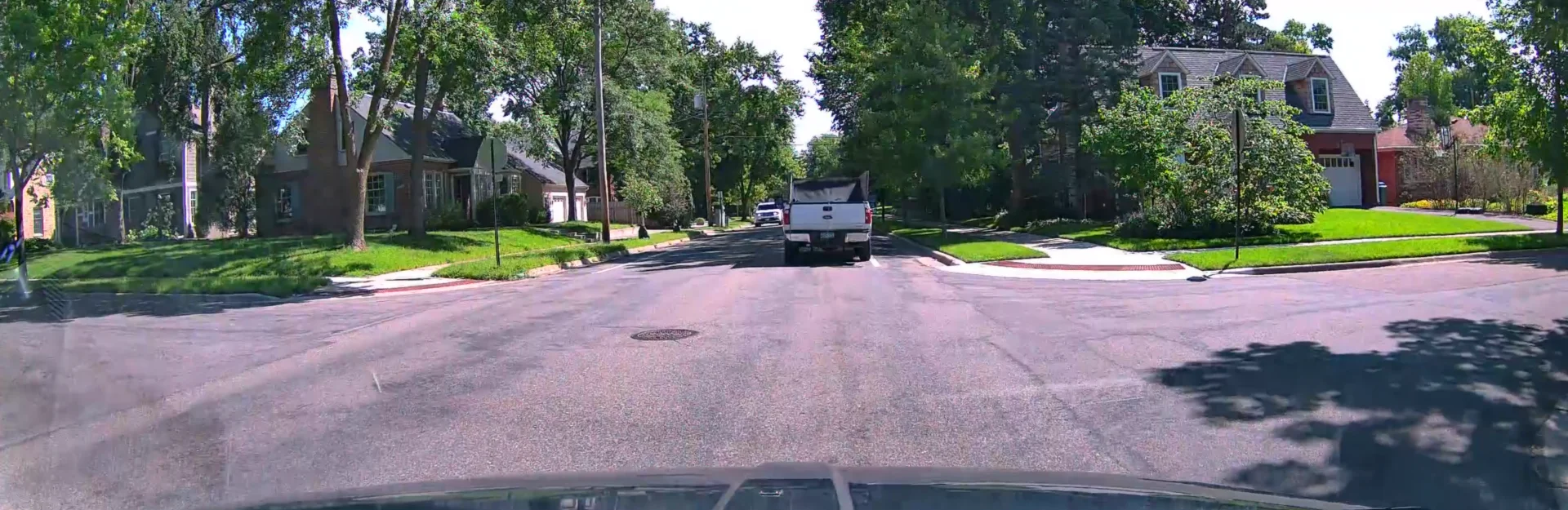
20250826113553_000058_00.01.19.webp


Normally, roads look like this (different road, different time)

Screenshot 2025-09-03 192459.webp
 
Randomly was pull footage from my cam, and noticed, Purple tint to the roads when it is very sunny and bright out.


Normally, roads look like this (different road, different time)
I got a DM from Viofo about this asking for more info...need to reply to them...

I need to look into this more, but, on quick re-evaluation of my footage, the camera is adjusting the amount of light into the camera (exposure?) and while i drive, it increase light input, blowing out the picture at times, I can see it in the sky, the white cloud get very blown out and are not distinguishable, just a white mess, then after a time, the camera adjusts, and is no longer over exposed, clear clouds and blue sky. At the same time, (most of the time, not every time) is when i notice the road has the purpleish hue to it.
When i drive through an area, under tree cover, shady lit, not direct sun, the hue is gone as well.
Is using 2K 60fps 2560 by 1080 High bitrate.

I feel this is firmware related, since it appears to be a issue of how the camera is adjusting its light input while in motion.
I do have a CPL installed on my front cam, none on my rear cam, but that is behind a 50% window tint, but i noticed it too had a mild purple tint to the road that came and went, same time and conditions as my front cam did (did not save any footage from that cam though).
 
Last edited:
Is, something up with my dash cam? I kinda feel like this is not the quality i would normally get from the thing.
Just looks too compressed and yucky. I think form software here degrades the image, but , i feel details, even when u zoom in just a but, is just, odd.
Maybe this is more mushy looking cause it is getting near dusk and is quite cloudy out, so, less light.

I wonder if a 4K 60fps dash cam, the higher models offers would do better or worse in lower light/ dusk conditions, than the 2K ones. I thought i had read that the higher resolution cams tend to be worse at night than lower resolution ones, but maybe that is outdated info. Really would like to compare to the new cams, i like the idea of the model that has the telephoto cam u can use also, but the cost is extreme, imo, compared to the value of the A119 Mini 2.

20250822075836_000035_00.00.17.webp


20250822075836_000035_00.01.31.webp


also, is the cpl supposed to be this, dark/tinted?

09-03-2025_21_01_20.webp
 
Last edited:
It's been only 1 week and my A119 Mini 2 has failed already.

After reviewing the footage, it appeared to fail yesterday during parking mode, but there was no warnings and the front leds were all on today. I only noticed this evening when I went to check my footage after someone jumped a red light and almost wrote my car off, which of course I now have no footage of and have been driving around all day without the camera working.

Needless to say, after being used to my former Street Guardian being so reliable I'm not particuarly happy with this happening so soon. The improved video quality, features etc are all meaningless if it fails to record. It's the same memory card from the SG, which has performed perfectly fine before, I formatted it upon first use and have since formatted it a few times after reviewing footage, changing settings etc.

I've been reluctant to update the firmware due to some of the posts I'm reading in here, but it's currently on Buid: 20241227 (must have been sitting on the shelf for a while). The app is version 3.2.21.

I'm not really sure what to do now.

Argh, it happened again. Strangely, it was whilst in parking mode (again) that it happened. I think I'll need to get this new card, but I'm wondering if it's somehow related to the battery protect kicking in and it suddenly losing power and corrupting the file? I'm sure it seems to be after being parked up for a while.
 
Another strange thing happened on Friday when I find a big Volvo jeep parked about 10 cm from my front bumper and what appears to be a dent in my licence plate.

Checking the parking footage, I've got sensitivity on high, the Volvo jeep pulls in front of my parked car and starts reversing back and just as he's about 1 metre from my car it is the end of that clip, so I play the next clip and the Volvo is now parked and the owners gone??? So it appears to have lost a whole section of footage between clips. I've had it set to 1 min clips so that downloading is faster, but I've now changed it to 5 mins.

But that really shouldn't matter, it should be seamless.
 
Another strange thing happened on Friday when I find a big Volvo jeep parked about 10 cm from my front bumper and what appears to be a dent in my licence plate.

Checking the parking footage, I've got sensitivity on high, the Volvo jeep pulls in front of my parked car and starts reversing back and just as he's about 1 metre from my car it is the end of that clip, so I play the next clip and the Volvo is now parked and the owners gone??? So it appears to have lost a whole section of footage between clips. I've had it set to 1 min clips so that downloading is faster, but I've now changed it to 5 mins.

But that really shouldn't matter, it should be seamless.
Have you searched all your folders for the missing video file?
 
Have you searched all your folders for the missing video file?

I'm not sure what folders you mean, but I checked all the saved files in the app under parking and also the locked tab. It's almost as if the motion detect stops detecting the movement, yet then continued to pick up other motion such as cars passing by.
 
I'm not sure what folders you mean, but I checked all the saved files in the app under parking and also the locked tab. It's almost as if the motion detect stops detecting the movement, yet then continued to pick up other motion such as cars passing by.
Have you pulled the card from the camera and looked through the folders on your computer?
 
Have you pulled the card from the camera and looked through the folders on your computer?

I only did it through the app. It would seem awfully strange for this one file in the middle of lots would disappear somewhere else? One of the main reaons for getting this was the WiFi access via my phone.

A feature I'd really like to see which I've already mentioned is during playback for it to automatically advance to the next file, or for a manual option/button to advance directly to the next file from the player.
 
I only did it through the app. It would seem awfully strange for this one file in the middle of lots would disappear somewhere else? One of the main reaons for getting this was the WiFi access via my phone.
I would check via a computer. Strange things happen sometimes.
 
I'm hoping 5 min clips will increase my odds.
Unlikely.
With a 1-minute recording cycle, you'll lose a 1-minute video file.
With a 5-minute recording cycle, you'll likely lose at least 5 minutes of footage.
As luck would have it, an incident occurs when the recording of one video file ends and the recording of the next one begins.
 
Unlikely.
With a 1-minute recording cycle, you'll lose a 1-minute video file.
With a 5-minute recording cycle, you'll likely lose at least 5 minutes of footage.
As luck would have it, an incident occurs when the recording of one video file ends and the recording of the next one begins.

I'm thinking more about if it's got something to do with the clip ending and the new one starting that has caused the issue.
 
@viofo @VIOFO-Support In the a119mini2, the voice command activates when Tesla's early warning collision chime sounds. This action also turns on the Wi-Fi. Worse yet, the device cuts off recording for a few seconds whenever the Wi-Fi turns on and off.
 
@viofo @VIOFO-Support In the a119mini2, the voice command activates when Tesla's early warning collision chime sounds. This action also turns on the Wi-Fi. Worse yet, the device cuts off recording for a few seconds whenever the Wi-Fi turns on and off.
What is the firmware version on your camera? The voice control is triggered by mistake in you situation. You can update this firmware to lower the voice control sensitivity to test if it helps: https://we.tl/t-AsTrv0QZVi
 
I encountered the following curious situation, with a camera purchased in October of this year, on Aliexpress. The camera came from the factory with fw 2.1_20250409. I installed fw V1.0_20231116 (bitrate mod); GPS no longer works. Then I tried to install V2.1_20250228_const_bitrate; the camera did not accept this fw, it still remains with the previous fw (1.0_20231116) and reports "card full-please format". I returned to the factory fw without any problems. Do newer camera versions have a different fw structure than older cameras?
 
Back
Top