
You are using an out of date browser. It may not display this or other websites correctly.
You should upgrade or use an alternative browser.
You should upgrade or use an alternative browser.
VIOFO A119 MINI_2 FIRMWARE
- Thread starter Karagandinez
- Start date


Nagumich
New Member
- Joined
- Oct 5, 2023
- Messages
- 8
- Reaction score
- 9
- Location
- Moscow
- Country
- Russian Federation
- Dash Cam
- Viofo A119V3, MINI2, A229Pro3CH, 70mai A810S
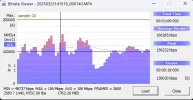
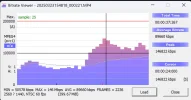
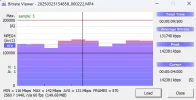
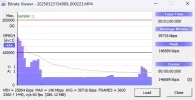
Processor can record with constant bitrate at 2560x1440P30HDR and can't with P60?Probably our processor does not pull 1440_60fos a constant bitrate
No one can convince me of that.
OP
OP

Karagandinez
Well-Known Member
- Joined
- Nov 27, 2020
- Messages
- 3,042
- Reaction score
- 4,092
- Location
- Deutschland
- Country
- Germany
- Dash Cam
- At the moment Viofo, Vueroid and Vantrue
The latest firmware for A119 Mini_2 is available for download on the Viofo website.

 www.viofo.com
Version: V2.1_20250409
Change Log >
1.Optimized: Image quality (Reduce noise for night recording).
2.Fixed: Some bugs.
firmware
Download the latest VIOFO firmware updates for every dash cam model. Step-by-step instructions, version notes, and SD card requirements.
www.viofo.com
Version: V2.1_20250409
Change Log >
1.Optimized: Image quality (Reduce noise for night recording).
2.Fixed: Some bugs.

speedingcheetah
Well-Known Member
- Joined
- Nov 15, 2016
- Messages
- 462
- Reaction score
- 253
- Location
- Twin Cities, MN
- Country
- United States
- Dash Cam
- VIOFO A329T 3CH (F+T+R) + Sandisk Extreme 1TB external SSD
Can someone compare this change?The latest firmware for A119 Mini_2 is available for download on the Viofo website.
firmware
Download the latest VIOFO firmware updates for every dash cam model. Step-by-step instructions, version notes, and SD card requirements.
Version: V2.1_20250409
Change Log >
1.Optimized: Image quality (Reduce noise for night recording).
2.Fixed: Some bugs.
Reduce noise at night? How so? Does it reduce details as well?
I have not update my 2x A119 mini 2's in quite awhile.
speedingcheetah
Well-Known Member
- Joined
- Nov 15, 2016
- Messages
- 462
- Reaction score
- 253
- Location
- Twin Cities, MN
- Country
- United States
- Dash Cam
- VIOFO A329T 3CH (F+T+R) + Sandisk Extreme 1TB external SSD
I decided to Update my cams.Version: V2.1_20250409
Change Log >
1.Optimized: Image quality (Reduce noise for night recording).
I was running ver 20231116
I use 2560x1080p 60fps (Day) and 2560x1080p 30fps HDR (night)
After update, i notice 2 things.
1. The "squished" image issue of using 21:9 ultra-wide screen is no longer an issue.
2. I am seeing noticeable MORE noise at night, in HDR. (see images)
I did not test without HDR, cause I always use HDR at night.
Briefly though, as the cam rebooted, at default settings, it did record for a min in full 2K, non HDR, and i noticed it was nowhere near as noisy, however, i recall, that was that way before update, and is normal for non HDR footage to be much smoother looking, with far less grain/noise, but much darker.
I did the same drive around my block, after the update, and there are times the increased noise does stand out a bit, but, then time is does not. On average, most of the time, is looks nearly the same to be. So, not really sure on my final conclusion of things.
Original firmware 20231116
New firmware 20250409

Augustus
Well-Known Member
- Joined
- Aug 19, 2016
- Messages
- 4,221
- Reaction score
- 2,715
- Location
- Perth, Australia
- Country
- Australia
- Dash Cam
- Viofo, Vantrue, 70mai, Wolfbox
Tough to say, I prefer the previous firmware and it's results, as not so noisy. If there was a bit more noise but more light let in to capture plates better, I would be all for that. But doesn't look like that's the case here, so ...I decided to Update my cams.
I was running ver 20231116
I use 2560x1080p 60fps (Day) and 2560x1080p 30fps HDR (night)
After update, i notice 2 things.
1. The "squished" image issue of using 21:9 ultra-wide screen is no longer an issue.
2. I am seeing noticeable MORE noise at night, in HDR. (see images)
I did not test without HDR, cause I always use HDR at night.
Briefly though, as the cam rebooted, at default settings, it did record for a min in full 2K, non HDR, and i noticed it was nowhere near as noisy, however, i recall, that was that way before update, and is normal for non HDR footage to be much smoother looking, with far less grain/noise, but much darker.
I did the same drive around my block, after the update, and there are times the increased noise does stand out a bit, but, then time is does not. On average, most of the time, is looks nearly the same to be. So, not really sure on my final conclusion of things.
Original firmware 20231116
View attachment 79479
New firmware 20250409
View attachment 79480
batman_
Member
Can someone please confirm the best settings for a119 mini 2? This is what I'm running with, and I want to update it to the latest firmware.
I do have tinted ceramic xpel 70, so the CPL is just helping on dashboard reflections but creates rainbow effects (I think removing CPL would get rid of it but wanna test latest firmware before I tune)

I do have tinted ceramic xpel 70, so the CPL is just helping on dashboard reflections but creates rainbow effects (I think removing CPL would get rid of it but wanna test latest firmware before I tune)
iSimple
Member
- Joined
- Feb 24, 2019
- Messages
- 55
- Reaction score
- 29
- Location
- .
- Country
- Canada
- Dash Cam
- VIOFO A119 Mini 2 HK4
Saw this posted on reddit and not posted here, incase anyone wants it
Wifi Station FW "special firmware: V2.1_20250119"
https://we.tl/t-q8t3BFbi8R or https://zippyshare.day/F1FnYwD8QoKBl8a/file
Wifi Station FW "special firmware: V2.1_20250119"
https://we.tl/t-q8t3BFbi8R or https://zippyshare.day/F1FnYwD8QoKBl8a/file
Hello all,
Got two cars, each has two 119 Mini 2s (front and back). I upgraded the firmware to v2.1_20250409 today. Interestingly, sometimes when I press and hold the Record button to stop recording (to get into the menu), the dashcam does not stop recording. I came across this on two of the four dashcams. Have you come across this?
Also, I am guilty of not trying different resolutions to pick the best one for me since I bought the dashcams (just experimented with two or three settings when I first bought them), so I decided to give it a try. I tried the 2560 x 1600 30 fps and 2560 x 1440 30 fps back to back, drove the same road within two minutes during the day, somewhat overcast weather conditions. To my surprise, 2560 x 1440 had more details on the license plates compared to 2560 x 1600, which I had originally picked. I am not sure if this is a firmware thing but have you seen this too? Or do most people on this forum pick 2560 x 1440? Would this be the same case for night videos?
Thanks.
Got two cars, each has two 119 Mini 2s (front and back). I upgraded the firmware to v2.1_20250409 today. Interestingly, sometimes when I press and hold the Record button to stop recording (to get into the menu), the dashcam does not stop recording. I came across this on two of the four dashcams. Have you come across this?
Also, I am guilty of not trying different resolutions to pick the best one for me since I bought the dashcams (just experimented with two or three settings when I first bought them), so I decided to give it a try. I tried the 2560 x 1600 30 fps and 2560 x 1440 30 fps back to back, drove the same road within two minutes during the day, somewhat overcast weather conditions. To my surprise, 2560 x 1440 had more details on the license plates compared to 2560 x 1600, which I had originally picked. I am not sure if this is a firmware thing but have you seen this too? Or do most people on this forum pick 2560 x 1440? Would this be the same case for night videos?
Thanks.
OP
OP
Karagandinez
Well-Known Member
- Joined
- Nov 27, 2020
- Messages
- 3,042
- Reaction score
- 4,092
- Location
- Deutschland
- Country
- Germany
- Dash Cam
- At the moment Viofo, Vueroid and Vantrue
There are enough users here who use the resolution 2560 x 1080.Or do most people on this forum pick 2560 x 1440?
arcticfire
Active Member
- Joined
- Jun 28, 2015
- Messages
- 515
- Reaction score
- 196
- Country
- United Kingdom
I decided to Update my cams.
I was running ver 20231116
I use 2560x1080p 60fps (Day) and 2560x1080p 30fps HDR (night)
After update, i notice 2 things.
1. The "squished" image issue of using 21:9 ultra-wide screen is no longer an issue.
2. I am seeing noticeable MORE noise at night, in HDR. (see images)
I did not test without HDR, cause I always use HDR at night.
Briefly though, as the cam rebooted, at default settings, it did record for a min in full 2K, non HDR, and i noticed it was nowhere near as noisy, however, i recall, that was that way before update, and is normal for non HDR footage to be much smoother looking, with far less grain/noise, but much darker.
I did the same drive around my block, after the update, and there are times the increased noise does stand out a bit, but, then time is does not. On average, most of the time, is looks nearly the same to be. So, not really sure on my final conclusion of things.
Original firmware 20231116
View attachment 79479
New firmware 20250409
View attachment 79480
The second image with the updated firmware looks a little brighter to me, maybe they've increased the sensitivity and therefore introduced more noise?
When I look at them right next to each other and smaller so both images are more central on my screen, in particular I can see the lower image brighter in the middle of the carpark, the trees are brighter (especially the one on the left under that light) and the grass on the far lower right is brighter.
The historgrams also show the new firmware one as having a little more, although very slight.
NeoteriX
New Member
I upgraded to the A119 Mini 2 from the original Mini as soon as it launched in 2023 and have otherwise been pretty happy with it. I only realized the other day that I'm probably overdue on a few years of firmware updates, but am somewhat disappointed to find out that it seems the updates are of mixed quality and don't seem to be always advancing the needle.
I've been on 20230605... is there any consensus here among the experts on which is the ideal firmware, resolution, SDR/HDR selection, and framerate? Looking back at the posts and various bitrate analyses and comparisons have me wondering if my setup is less optimized than it could be. Thanks in advance all!
I've been on 20230605... is there any consensus here among the experts on which is the ideal firmware, resolution, SDR/HDR selection, and framerate? Looking back at the posts and various bitrate analyses and comparisons have me wondering if my setup is less optimized than it could be. Thanks in advance all!
arcticfire
Active Member
- Joined
- Jun 28, 2015
- Messages
- 515
- Reaction score
- 196
- Country
- United Kingdom
It's been only 1 week and my A119 Mini 2 has failed already.
After reviewing the footage, it appeared to fail yesterday during parking mode, but there was no warnings and the front leds were all on today. I only noticed this evening when I went to check my footage after someone jumped a red light and almost wrote my car off, which of course I now have no footage of and have been driving around all day without the camera working.
Needless to say, after being used to my former Street Guardian being so reliable I'm not particuarly happy with this happening so soon. The improved video quality, features etc are all meaningless if it fails to record. It's the same memory card from the SG, which has performed perfectly fine before, I formatted it upon first use and have since formatted it a few times after reviewing footage, changing settings etc.
I've been reluctant to update the firmware due to some of the posts I'm reading in here, but it's currently on Buid: 20241227 (must have been sitting on the shelf for a while). The app is version 3.2.21.
I'm not really sure what to do now.
After reviewing the footage, it appeared to fail yesterday during parking mode, but there was no warnings and the front leds were all on today. I only noticed this evening when I went to check my footage after someone jumped a red light and almost wrote my car off, which of course I now have no footage of and have been driving around all day without the camera working.
Needless to say, after being used to my former Street Guardian being so reliable I'm not particuarly happy with this happening so soon. The improved video quality, features etc are all meaningless if it fails to record. It's the same memory card from the SG, which has performed perfectly fine before, I formatted it upon first use and have since formatted it a few times after reviewing footage, changing settings etc.
I've been reluctant to update the firmware due to some of the posts I'm reading in here, but it's currently on Buid: 20241227 (must have been sitting on the shelf for a while). The app is version 3.2.21.
I'm not really sure what to do now.
Last edited:

- Joined
- Feb 6, 2016
- Messages
- 4,524
- Reaction score
- 2,635
- Location
- New England
- Country
- United States
- Dash Cam
- Viofo, GitUp
What card?

 support.viofo.com
What memory card is recommended for a VIOFO dashcam?
Micro SD Cards play an important role in dashcams, but not all cards are suitable to be used in dashcams. The footage recorded by dash cams is saved on a micro SD card, which is an essential component of the dash cam setup. Here are some parame...
support.viofo.com
arcticfire
Active Member
- Joined
- Jun 28, 2015
- Messages
- 515
- Reaction score
- 196
- Country
- United Kingdom
What card?
What memory card is recommended for a VIOFO dashcam?
Micro SD Cards play an important role in dashcams, but not all cards are suitable to be used in dashcams. The footage recorded by dash cams is saved on a micro SD card, which is an essential component of the dash cam setup. Here are some parame...
I'll need to check to be 100%, but from memory I think it's an Integral 128GB U3. It was fine in my Street Guardian. I've updated to the latest firmware and will see how it goes.
speedingcheetah
Well-Known Member
- Joined
- Nov 15, 2016
- Messages
- 462
- Reaction score
- 253
- Location
- Twin Cities, MN
- Country
- United States
- Dash Cam
- VIOFO A329T 3CH (F+T+R) + Sandisk Extreme 1TB external SSD
That don't mean anything really, if it worked in a different camera fine. U need a faster and more suited card for a higher resolution and bitrate camera. Or you old card may just be wore out.I'll need to check to be 100%, but from memory I think it's an Integral 128GB U3. It was fine in my Street Guardian. I've updated to the latest firmware and will see how it goes.
Try using a supported memory card. That is most often the main cause of issues
arcticfire
Active Member
- Joined
- Jun 28, 2015
- Messages
- 515
- Reaction score
- 196
- Country
- United Kingdom
That don't mean anything really, if it worked in a different camera fine. U need a faster and more suited card for a higher resolution and bitrate camera. Or you old card may just be wore out.
Try using a supported memory card. That is most often the main cause of issues
I think it's highly unlikely it just wore out within a week of changing cameras when it's been fine for so long and it's working again now. It's U3, so speed should be fine. But I guess anything is possible, so I'll have a look at the recommended ones.
My main concern is the lack of warning or restart feature that the SG had. The lights all looked normal, no verbal warnings etc.
speedingcheetah
Well-Known Member
- Joined
- Nov 15, 2016
- Messages
- 462
- Reaction score
- 253
- Location
- Twin Cities, MN
- Country
- United States
- Dash Cam
- VIOFO A329T 3CH (F+T+R) + Sandisk Extreme 1TB external SSD
Power issues maybe? Are using the included adapter, or the official hard wire kit?I think it's highly unlikely it just wore out within a week of changing cameras when it's been fine for so long and it's working again now. It's U3, so speed should be fine. But I guess anything is possible, so I'll have a look at the recommended ones.
My main concern is the lack of warning or restart feature that the SG had. The lights all looked normal, no verbal warnings etc.
arcticfire
Active Member
- Joined
- Jun 28, 2015
- Messages
- 515
- Reaction score
- 196
- Country
- United Kingdom
Power issues maybe? Are using the included adapter, or the official hard wire kit?
Official hardwire kit provided by Viofo. I've hardwired countless installs, so shouldn't be any technical issues and I was aware of my car's power management system, but that doesn't appear to be causing any issues.
I wonder if it's possible that the battery protect kicked in and perhaps the abrupt loss of power caused a wobbly? I'll try with a new card first, it's probably due changing anyway. I'm now actively listening out for the vocal message that the camera recording has started.