A139 Firmware

We have duplicated this issue and it will be optimized soon.
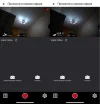
And pay attention to the information about the HDR in the smartphone, there is no difference between the HDR on/off, and also the HDR icon in the upper left corner when viewed on a TV via the AV output, also does not correspond to the mode, which introduces some confusion!!
 

Attachments

  • Inf.webp
    Inf.webp
    48.7 KB · Views: 132
  • Icon.webp
    Icon.webp
    133.3 KB · Views: 119
And pay attention to the information about the HDR in the smartphone, there is no difference between the HDR on/off, and also the HDR icon in the upper left corner when viewed on a TV via the AV output, also does not correspond to the mode, which introduces some confusion!!
The HDR stamp will not be shown in live view on the phone actually, we will add this feature soon. But the HDR stamp can correspond to the mode according to our test when viewed on a TV via the AV cable. Here are our testing videos you can check: https://we.tl/t-5lYXKa12cg
 
Here are our testing videos you can check:
Yes, that’s exactly what I wanted to happen when HDR was running in auto mode in firmware V1.8_20230907_bluetooth and V1.8_20230706!!
I hope you succeed!!
Thank you!
 
Thanks for your reminder! We have duplicated this issue and it will be optimized soon.
VIOFO!!
You have had firmware V1.8_20230706 on your official website for more than a month now, which contains an error, deletes the entire date!!
Maybe it's time to fix it?? 🙂
 
👍We will update the new firmware soon after confirmation.

@VIOFO-Support
I have activated a139 voice notification.
Unless all notification sounds are turned on, voice notification will not work even though it is active.
In the options there are off, only on startup, only key sound and all.
In addition, there should only be an audible notification. or other options,
if Audio notification is activated in the main menu, these options should also have audio notification.

It seems that a139 volume adjustment has not been added.
 
@VIOFO-Support
I have activated a139 voice notification.
Unless all notification sounds are turned on, voice notification will not work even though it is active.
In the options there are off, only on startup, only key sound and all.
In addition, there should only be an audible notification. or other options,
if Audio notification is activated in the main menu, these options should also have audio notification.

It seems that a139 volume adjustment has not been added.
There is a setting about the voice notification volume that you can check. About your first issue that voice notifications cannot work individually, this has been solved by the previous firmware V1.8_0531. Please update the newest firmware to test: https://viofo.com/content/35-viofo-a139-dash-cam-support/
 
There is a setting about the voice notification volume that you can check. About your first issue that voice notifications cannot work individually, this has been solved by the previous firmware V1.8_0531. Please update the newest firmware to test: https://viofo.com/content/35-viofo-a139-dash-cam-support/
Hi VIOFO-Support,
when will you re-release geofencing for A139 (non pro) it appeared for few weeks and then disappeared, shutting down the camera manually pressin the powerbutton for 8 seconds everytime one gets home is pretty annoying.
Thank you
 
Hi VIOFO-Support,
when will you re-release geofencing for A139 (non pro) it appeared for few weeks and then disappeared, shutting down the camera manually pressin the powerbutton for 8 seconds everytime one gets home is pretty annoying.
Thank you
They will never do that (I was asking about it months and years ago).. This company is a joke.
A139 is my last viofo product.
 

Attachments

  • Screenshot_20240303_115209_Samsung Internet.webp
    Screenshot_20240303_115209_Samsung Internet.webp
    66.3 KB · Views: 119
Last edited:
They will never do that (I was asking about it months and years ago).. This company is a joke.
A139 is my last viofo product.
I know, sadly....My post on their forum is even older and never got approved by their moderators. Check this post where I placed the screenshots
Met too...
My post on viofo forum about parking mode has been pending approval for 1 year and 3 months now.... Viofo it's pretty sketchy on this things.

Also where is the 1.8 fw gone? It has disappeared from the internet...not only here.
 

Attachments

  • Screenshot_20230819-083124_Chrome.webp
    Screenshot_20230819-083124_Chrome.webp
    102.2 KB · Views: 113
They will never do that (I was asking about it months and years ago).. This company is a joke.
A139 is my last viofo product.
Still no cloud features or syncing in 2024 either.
 
I'm running version V1.9_240710 and the car doesn't seem to be going into parking mode the last few days (using gps based parking mode)

Anyone else noticed this? I've yet to check the footage, but I know it's not going into parking mode as I have the LEDs set to go off (apart from REC led) when in parking mode. I also don't get the normal recording announcement when I drive away and it changes mode.

It was working for a few days after the firmware flash but stopped working sometime over the weekend I think

I will review my footage and current settings when I get a chance (probably within a few days)
 
I'm running version V1.9_240710 and the car doesn't seem to be going into parking mode the last few days (using gps based parking mode)

Anyone else noticed this? I've yet to check the footage, but I know it's not going into parking mode as I have the LEDs set to go off (apart from REC led) when in parking mode. I also don't get the normal recording announcement when I drive away and it changes mode.

It was working for a few days after the firmware flash but stopped working sometime over the weekend I think

I will review my footage and current settings when I get a chance (probably within a few days)
I'm used Parked mode on new firmware - all is ok.
Just reset device...
 
I did the normal reset / format after flashing the new firmware. I can't remember what day I flashed the firmware but it was last week. I took the camera off it's mount on the weekend briefly.

The footage is very odd. Monday during the day it did not go into parking mode. Stayed in driving mode while at work. When I got home, I forgot to turn it off and it went into parking mode overnight.
Today (Tuesday) it did not go into parking mode at the work carpark again. I went back to the car mid morning, moved it around the carpark and parked again. From the footage it went into parking mode this time.

So 2 times it went into parking mode correctly and 2 times it did not.

I've been using v1.6 for an years, I hope this is not a bug.

I will do another reset and format.

Also speed is displayed on driving footage (so it's not a GPS issue)
 
GPS is reporting correct location, the last 2 decimal places of the long/lat does seem to change but I assume that is normal accepted "drift"?

I reset all settings and formatted the sd card, then put all settings to my liking.

I have tested it 3 more times, 1 time in my car port it went into parking mode (no gps signal there anyway). The other 2 times I parked up I gave it at least 20minutes and it did not switch into parking mode.

So that is 4 times out of 7 it hasn't gone into parking mode

I was previously using V1.6_0106 for years, can't remember if that firmware was from the official site or it was one posted on here.
 
Another 2 times it has gone it parking mode correctly, so that's now 6 times out of 9.

However, it started beeping randomly during normal driving and did the voice notification "started recording 2 channels". Looks like it lost 19 seconds of footage during that mishap.

I've also noticed the image is very grainy now compared to my footage on the previous firmware. On v1.6 it was a lot sharper. Not sure if I had some custom exposure settings previously but don't remember.

I've managed to find v1.6 on this laptop so at least I've got the option to switch back, at the moment it's hard to tell if there is a bug or something else.
 
I reflashed v1.6 over the weekend. It looks like Monday it didn't go into parking mode (Hard to tell as 8-10 hours in driving mode fills the card a lot). Tuesday it went into parking mode but took about a minute to switch back (I was parked underground). Other times it's switched after a few seconds.

So maybe something else is wrong? It's a bit weird that whenever I check my gps or speed on footage using the app it's always correct (although obviously I can't review all footage)
 
FW_V1.9_240710
Yes, the bitrates at 2K are very low
F_Bit rate: 28.7 Mb/s
R_Bit rate: 16.3 Mb/s
So she definitely needs a mod!!:
DIn the mod - like this:
2K_F_Bit rate: 36 Mb/s
2K_R_Bit rate: 30 Mb/s
 
Last edited:
Back
Top