
rcasviofo
New Member
Parking Mode setting(s) out of sync between camera running Firmware 2.0 and the Beta version of the iOS app.
First off, I really like the new 2.0 firmware and the new Viofo App. I know they're both still Beta and may have a few issues, but seem like a significant improvement. So many thanks.
So here is my issue, after a successful install of Firmware 2.0 on my A329S, I installed the Beta version of the Viofo App on my phone and used the app to configure the camera, including setting Parking Mode -> Hybrid Parking Mode ->Event Detection -> Impact. But after a couple of days, noticed that my Parking video files were clearly recording using 1 FPS mode.
So to double check, I used the Viofo App to check the settings via WiFi, and here is a screenshot of that setting:
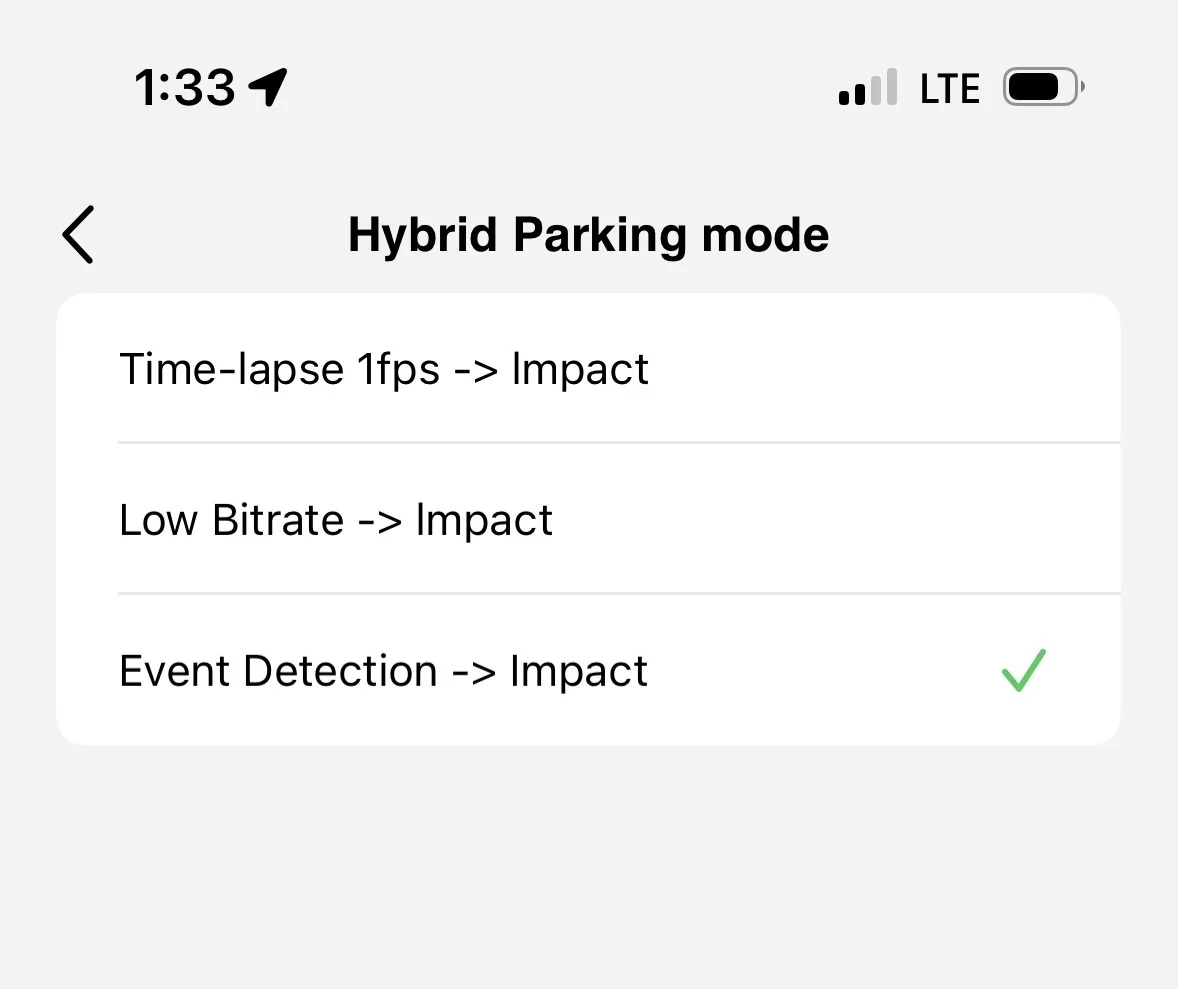
And then I used the new configuration generation option to create a Config file and copy it to my desktop. From there, I used the new Config Viewer. And it is clearly set to Parking Mode -> Hybrid Parking Mode -> Timelapse 1fps (SNV)->Impact. Here is a screenshot of the Config Viewer:
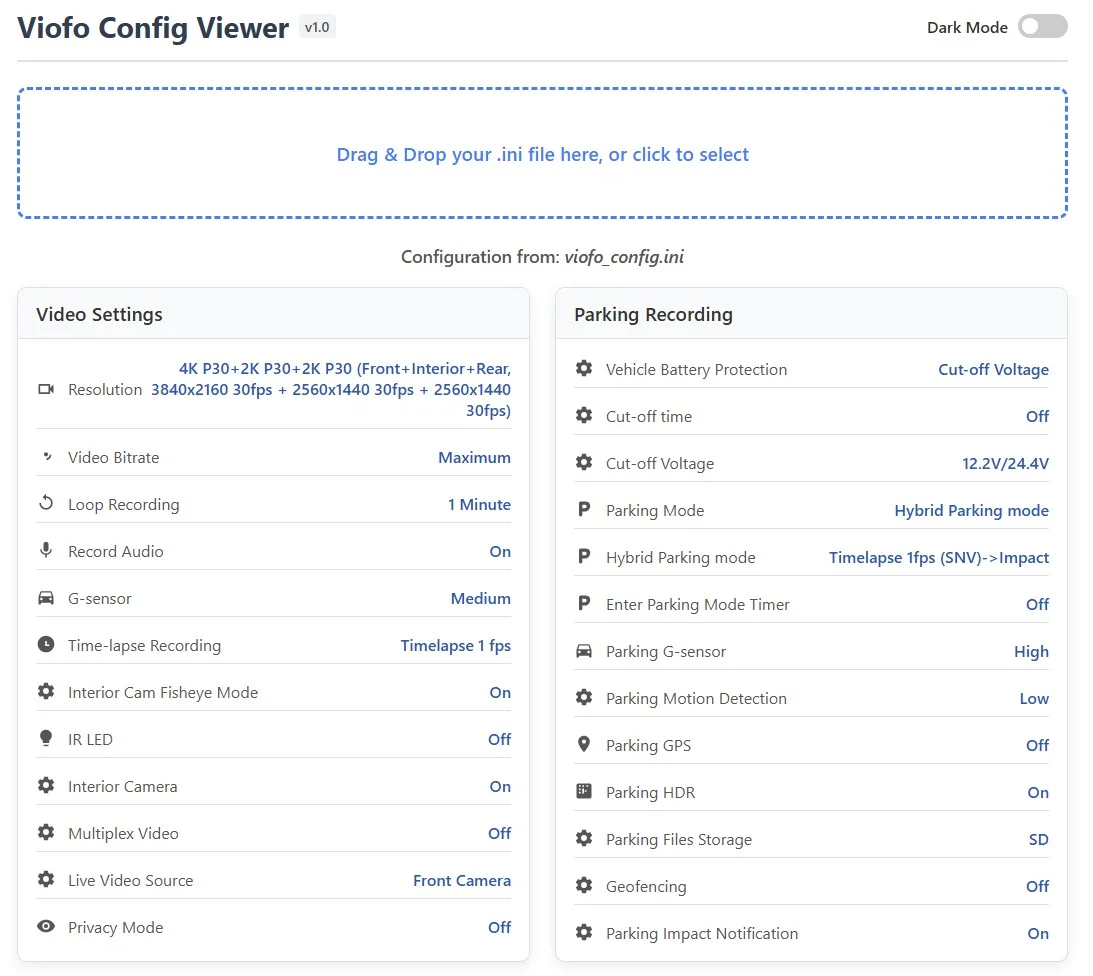
I was able to select Hybrid Parking Mode->Event Detection->Impact directly through the camera LCD interface. And hopefully this will work, but definitely seems to be some issue syncing the Parking Mode settings between the camera and app. I don't know if this problem existed before Firmware 2.0 and/or the new Viofo App or if any other settings are effected.
First off, I really like the new 2.0 firmware and the new Viofo App. I know they're both still Beta and may have a few issues, but seem like a significant improvement. So many thanks.
So here is my issue, after a successful install of Firmware 2.0 on my A329S, I installed the Beta version of the Viofo App on my phone and used the app to configure the camera, including setting Parking Mode -> Hybrid Parking Mode ->Event Detection -> Impact. But after a couple of days, noticed that my Parking video files were clearly recording using 1 FPS mode.
So to double check, I used the Viofo App to check the settings via WiFi, and here is a screenshot of that setting:
And then I used the new configuration generation option to create a Config file and copy it to my desktop. From there, I used the new Config Viewer. And it is clearly set to Parking Mode -> Hybrid Parking Mode -> Timelapse 1fps (SNV)->Impact. Here is a screenshot of the Config Viewer:
I was able to select Hybrid Parking Mode->Event Detection->Impact directly through the camera LCD interface. And hopefully this will work, but definitely seems to be some issue syncing the Parking Mode settings between the camera and app. I don't know if this problem existed before Firmware 2.0 and/or the new Viofo App or if any other settings are effected.


