VIOFO HK6 Hardwire Cable - Test & Review PP

Other way around? I think it's more about binding the dashcam to an HK6, not binding an HK6 to a dashcam. I've only got one HK6 on hand though so it'd be up to others to verify the behavior when you have multiple HK6's present.

Semantics. Regardless, the A329x should only listen to the respective HK6. Will other A329x 'hear' that same HK6? Yes, I expect they will. Can the A329x in your other car also be bound to that HK6...I'm not sure, as I am unaware of the level of intelligence in the HK6 and how discreet it is.

Is the Cut-Off Voltage field always available in the A329x, or is it grayed out/not seen if no HK6 is detected? If you see the Cut-Off Voltage field in the A329x that does not have an HK6, you could try to disable it to see if the on-screen voltage disappears.
 
Last edited:
Semantics. Regardless, the A329x should only listen to the respective HK6. Will other A329x 'hear' that same HK6? Yes, I expect they will. Can the A329x in your other car also be bound to that HK6...I'm not sure, as I am unaware of the level of intelligence in the HK6 and how discreet it is.
So it's not simply semantics because it does make a difference. I'm not sure if the HK6 is able to receive communication from the dashcam or if it's simply broadcasting unidirectionally for any dashcam to pick up, but I suspect it's the latter.

The reason this matters is that if you could only bind an HK6 to one dashcam, then that would prevent you from using the voltage info from an HK6 and share that with another Viofo/HK4 dashcam installed in the same car, and thus you'd need separate HK6's for each individual dashcam.

However, if it's about each dashcam learning and binding to a specific HK6, then you'll be able to have multiple Viofo's in multiple cars, each with a single HK6 in each car, and each dashcam would be able to properly recognize which HK6 it should connect to and function accordingly.

Those with multiple HK6's can verify so we don't have to speculate. 🙂
Is the Cut-Off Voltage field always available in the A329x, or is it grayed out/not seen if no HK6 is detected? If you see the Cut-Off Voltage field in the A329x that does not have an HK6, you could try to disable it to see if the on-screen voltage disappears.
I just tried unplugging the HK6 and starting up an A329S that had previously connected, and it gives me the no BT device found error and prevents me from using a voltage based hybrid parking mode. So that's good that it's checking at every startup.
 
I do admit, from that point of view, it is important. I wrote from a position where I expected others to understand. That was an error on my part, stemming from 37 years of experience in data transmission. 🙂

You are correct about each HK6 and its ability to be identified/bound to only one dashcam, or not. Viofo would likely need to use a UID (unique identifier) for each HK6 and dashcam produced, then have a method to lock each HK6 to its respective dashcam. That method would likely be via the app or LCD, and the dashcam would only look for an HK6 once told to do so. At the same time, any dashcam in the area would not respond to a 'foreign' HK6 as it is not bound to. That, of course, takes a lot of testing and code in the FW, the HK6, the dashcam, and the app.

If anyone has ever used an RC plane, car, or boat with 2.4 receivers, they will easily understand the process I mention. Those RC receivers have a UID and are bound to a transmitter that has a UID. That receiver should never see or respond to another transmitter, and vice versa; that transmitter should never interfere with another receiver.

Chuck will need to conduct some extensive testing, or Viofo will need to thoroughly explain the HK6 and A329x, as well as their relationship, whether unique or otherwise.
 
I do admit, from that point of view, it is important. I wrote from a position where I expected others to understand. That was an error on my part, stemming from 37 years of experience in data transmission. 🙂
We all have different ideas and areas of expertise. Respectfully, I hope we can all bounce ideas off one another without suggesting that if someone isn't familiar with a particular aspect of topic that you are, that they should "excuse themselves from this discussion."
You are correct about each HK6 and its ability to be identified/bound to only one dashcam, or not. Viofo would likely need to use a UID (unique identifier) for each HK6 and dashcam produced, then have a method to lock each HK6 to its respective dashcam. That method would likely be via the app or LCD, and the dashcam would only look for an HK6 once told to do so. At the same time, any dashcam in the area would not respond to a 'foreign' HK6 as it is not bound to. That, of course, takes a lot of testing and code in the FW, the HK6, the dashcam, and the app.

If anyone has ever used an RC plane, car, or boat with 2.4 receivers, they will easily understand the process I mention. Those RC receivers have a UID and are bound to a transmitter that has a UID. That receiver should never see or respond to another transmitter, and vice versa; that transmitter should never interfere with another receiver.

Chuck will need to conduct some extensive testing, or Viofo will need to thoroughly explain the HK6 and A329x, as well as their relationship, whether unique or otherwise.
I'm not familiar with the nuances of the Bluetooth protocol, but I'm sure it has some form of persistent UID that Viofo could take advantage of like a MAC address or something.
 
We all have different ideas and areas of expertise. Respectfully, I hope we can all bounce ideas off one another without suggesting that if someone isn't familiar with a particular aspect of topic that you are, that they should "excuse themselves from this discussion."

That was for the benefit of someone here who likes to argue with me and others and appears to be an expert in everything. Google is a wonderful thing. That was a shot across the bow. I am filling in for someone else who has passed on. 🙂

I am not opposed to discussing something, but don't split hairs and don't use Google and pretend to have a vast background of knowledge from years of experience.

Since you linked that post, it's apparent that you took offense. This thread was not the place to attempt to make a point. My original post in the thread was to support Chuck. Next time, contact me privately.
 
That was for the benefit of someone here who likes to argue with me and others and appears to be an expert in everything. Google is a wonderful thing. That was a shot across the bow. I am filling in for someone else who has passed on. 🙂

I am not opposed to discussing something, but don't split hairs and don't use Google and pretend to have a vast background of knowledge from years of experience.

Since you linked that post, it's apparent that you took offense. This thread was not the place to attempt to make a point. My original post in the thread was to support Chuck. Next time, contact me privately.
I see. Thanks for adding that clarification. For future reference, publicly making rude and dismissive posts that effectively shut down further conversation on topics that many people here are interested in, isn’t exactly conducive to an enjoyable or productive conversation.

To your point though, some things would be better addressed privately, I agree.
 
Those with multiple HK6's can verify so we don't have to speculate. 🙂
OK, I just woke up from my afternoon nap.

I have (3) different HK6's.
I have (4) different dash cams that are compatible;
1.) A329S
2.) A329S
3.) A229 Ultra
4.) A119M Pro

I would like to get to the bottom of this, but I'm a little confused on what you want me to test.
Little help?
 

Attachments

  • You Are The Next Contestant On The Price Is Right .webp
    You Are The Next Contestant On The Price Is Right .webp
    573.9 KB · Views: 142
OK, I just woke up from my afternoon nap.

I have (3) different HK6's.
I have (4) different dash cams that are compatible;
1.) A329S
2.) A329S
3.) A229 Ultra
4.) A119M Pro

I would like to get to the bottom of this, but I'm a little confused on what you want me to test.
Little help?
Sweet. The question is whether or not a dashcam will pair itself with the first HK6 it sees. If later it sees another HK6, will it read voltage from it instead? Realistically a dashcam should always see its own HK6 so testing with only another one present would be in case you replace yours, but it's really about what happens if you have HK6's in two different vehicles and it the dashcam might read the wrong one.
 
Sweet. The question is whether or not a dashcam will pair itself with the first HK6 it sees. If later it sees another HK6, will it read voltage from it instead? Realistically a dashcam should always see its own HK6 so testing with only another one present would be in case you replace yours, but it's really about what happens if you have HK6's in two different vehicles and it the dashcam might read the wrong one.
OK.
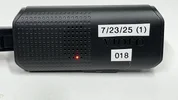
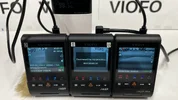
(2) HK6’s are installed in my car.
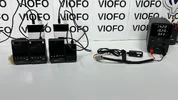
I just ordered the HK6 3-PIN & 4-PIN Molex connectors so I can make my own custom wiring for testing purposes, (scheduled for delivery Wednesday).
Thanks to Robert for helping me with that.
I think this will be easier to test “on the bench”.
In the mean time I’ll see if I can figure something out.
 

Attachments

  • 2 .webp
    2 .webp
    37.7 KB · Views: 143
  • 1 .webp
    1 .webp
    37.6 KB · Views: 154
I would like to get to the bottom of this, but I'm a little confused on what you want me to test.
Little help?
From Viofo's instructions, if you want to pair a dashcam with an HK6, you need to power down all other HK6, then reset the dashcam to factory defaults, then give the dashcam a little time to see the one HK6 that is powered on, and it will permanently pair to that, at least until you reset the dashcam to factory default again.

I assume you can do the same with the Bluetooth remote buttons, which does let you pair several dashcams to one HK6 and also several dashcams to one button. The only difference with the buttons is that you also need to trigger the button to send a pairing message, which all dashcams that have been reset to factory default should see and pair with.

The other thing that could be tested is, do the dashcams forget their HK6 and remote button pairings on a firmware upgrade, or do they remember them along with their menu settings these days?

I don't know if that is all correct, a little clear documentation that explains how it actually works, would be good...
 
From Viofo's instructions, if you want to pair a dashcam with an HK6, you need to power down all other HK6, then reset the dashcam to factory defaults, then give the dashcam a little time to see the one HK6 that is powered on, and it will permanently pair to that, at least until you reset the dashcam to factory default again.

I assume you can do the same with the Bluetooth remote buttons, which does let you pair several dashcams to one HK6 and also several dashcams to one button. The only difference with the buttons is that you also need to trigger the button to send a pairing message, which all dashcams that have been reset to factory default should see and pair with.

The other thing that could be tested is, do the dashcams forget their HK6 and remote button pairings on a firmware upgrade, or do they remember them along with their menu settings these days?

I don't know if that is all correct, a little clear documentation that explains how it actually works, would be good...
Are you saying that one Bluetooth remote can work with several Viofo models at the same time?
I tried, but it doesn't work. Only one model out of two connects.

Or did I misunderstand you?
 
Are you saying that one Bluetooth remote can work with several Viofo models at the same time?
I tried, but it doesn't work. Only one model out of two connects.

Or did I misunderstand you?
I was suggesting that Chuck tries it, even though he has said above that it is impossible!
You say it doesn't work, but someone else did say that they had it working...

Maybe it depends on which version of the remote you have, but as far as I know, the remotes only wake up and transmit when you press the button(s), I don't expect them to hold conversations with the cameras to work out who is paired with who and thus who is not paired. It seems more likely that they work the same as the HK6, and the cameras are just listening in, but then there would be nothing stopping any number of cameras listening in and responding. It is possible that the cameras do transmit back on receiving a pairing message, and it is a case of first to respond gets paired, and it is possible that it depends on which camera you have. Hard to know without Viofo providing good documentation, any testing may be flawed, without any way of knowing that it is flawed.
 

Attachments

  • 1 .webp
    1 .webp
    70.6 KB · Views: 142
I was suggesting that Chuck tries it, even though he has said above that it is impossible!
You say it doesn't work, but someone else did say that they had it working...

Maybe it depends on which version of the remote you have, but as far as I know, the remotes only wake up and transmit when you press the button(s), I don't expect them to hold conversations with the cameras to work out who is paired with who and thus who is not paired. It seems more likely that they work the same as the HK6, and the cameras are just listening in, but then there would be nothing stopping any number of cameras listening in and responding. It is possible that the cameras do transmit back on receiving a pairing message, and it is a case of first to respond gets paired, and it is possible that it depends on which camera you have. Hard to know without Viofo providing good documentation, any testing may be flawed, without any way of knowing that it is flawed.
Vortex Radar once claimed that the remote can work with several models at the same time.

Post in thread 'VIOFO BTR200 - 3-Button Bluetooth Remote Control' https://dashcamtalk.com/forum/threa...on-bluetooth-remote-control.51089/post-617980

I tried to pair the remote with two models. It did not work.
I contacted a Viofo representative and he told me that the remote can only work with one model with which it is paired.
It was about the BTR200.
 
Last edited:
Just got back from my first “get to the bottom of this” session trying to duplicate the issue of “bluetooth bleedover”.
I tried to get the cameras to receive signal from the HK6 without being connected.
I could not duplicate the issue.
I was able to do this by accident when the HK6 was first delivered, but I have never been able to duplicate it since.

Also the A119M Pro even though it’s a retail / production unit with serial number, it looks like the firmware is not "matured" to be HK6 compliant yet.

Also the A229 Ultra does not display the LCD on screen message when the HK6 is connected like the A329’s.

I’m working in the dark not knowing how the HK6 operates based on the limited information in the user manual.
I think I’ve have reached the limit of my intellect.
We need someone smarter to take over.
 

Attachments

  • 2 .webp
    2 .webp
    121.7 KB · Views: 153
  • 3 .webp
    3 .webp
    134.4 KB · Views: 136
  • 4 .webp
    4 .webp
    111.9 KB · Views: 157
  • 1 .webp
    1 .webp
    116.6 KB · Views: 144
Just got back from my first “get to the bottom of this” session trying to duplicate the issue of “bluetooth bleedover”.
I tried to get the cameras to receive signal from the HK6 without being connected.
I could not duplicate the issue.
I was able to do this by accident when the HK6 was first delivered, but I have never been able to duplicate it since.

Also the A119M Pro even though it’s a retail / production unit with serial number, it looks like the firmware is not "matured" to be HK6 compliant yet.

Also the A229 Ultra does not display the LCD on screen message when the HK6 is connected like the A329’s.

I’m working in the dark not knowing how the HK6 operates based on the limited information in the user manual.
I think I’ve have reached the limit of my intellect.
We need someone smarter to take over.
Thanks for diving straight into the testing!

I also noticed that the A229 Ultra doesn't display that discovery message at startup, but I see the voltage info stamped onto the video nonetheless, and that's the way I've been able to tell. Do you see that on your A229 Ultra video?

I haven't unboxed my A119 M Pro yet, but I can do that real quick just to see if it picks up the HK6 or not.

Update: I don’t see a voltage stamp on the display the way there is with the A229 Ultra, even though neither dashcam supports low power or hybrid parking mode. There’s also no startup splash screen about discovery, so the A119M Pro, at least on this initial firmware, seems to treat the HK4 and HK6 the same.
 
Last edited:
Do you see that on your A229 Ultra video?
Yup.
1.) Front .webp
2.) Rear .webp

3.) Waterproof Rear .webp
4.) IR Interior Fisheye .webp

5.) IR Interior Fisheye LED’s On .webp

Update: I don’t see a voltage stamp on the display the way there is with the A229 Ultra, even though neither dashcam supports low power or hybrid parking mode.
The A119M Pro got a new processor.
I'm hoping LPID is still possible, just not enabled yet with firmware.
 
Thanks for diving straight into the testing!

I also noticed that the A229 Ultra doesn't display that discovery message at startup, but I see the voltage info stamped onto the video nonetheless, and that's the way I've been able to tell. Do you see that on your A229 Ultra video?

I haven't unboxed my A119 M Pro yet, but I can do that real quick just to see if it picks up the HK6 or not.

Update: I don’t see a voltage stamp on the display the way there is with the A229 Ultra, even though neither dashcam supports low power or hybrid parking mode. There’s also no startup splash screen about discovery, so the A119M Pro, at least on this initial firmware, seems to treat the HK4 and HK6 the same.

So with the HK6 broadcasting voltage information wirelessly, this can create some unexpected quirks for other nearby Viofos that are connected via an HK4.

For example, I'm testing an A229 Ultra with an HK6 next to an A329S with an HK4, and that A329S is able to pick up voltage info and use the hybrid parking mode feature, even though there's no HK6 plugged into it, lol.

Additionally, my other car with the A329T is also using an HK4, but it's able to pick up the HK6 when both cars are in the garage, and so it will turn on its voltage display and embed the voltage info onto the dashcam footage. However, because there's no HK6 in that other car, when I'm driving around, it just has a stuck and non-updating voltage display on the bottom of all the dashcam footage, and there's currently no way to turn that text off. Something to be aware of in case you're running newer Viofos in multiple cars, but don't have HK6's on every dashcam.

I'm definitely hoping Viofo gives us the option to disable the voltage display text on the bottom of our dashcam footage. Personally I'm not really interested in having it permanently stamped onto my dashcam footage, regardless of if that dashcam is actively using the HK6 or not.
There will be an option to disable the voltage display text on all the camera models that support this data.
 
I'm hoping LPID is still possible, just not enabled yet with firmware.
It is possible even on the A119 Mini 1, the question is only how fast it will wake up, assuming that Viofo will enable it.
 
........
I’m working in the dark not knowing how the HK6 operates based on the limited information in the user manual.
I think I’ve have reached the limit of my intellect.
This is because a simple device such as a step-down voltage converter is forced to "make coffee" (copyright @Karagandinez )
🙂

 
Last edited:
Back
Top