BlackVue Elite 9 - Testing/Review - RCG

I've been waiting for a firmware update beyond 1.002 since Pittasoft stated some of my power consumption testing issues with power saving mode parking mode might be addressed with a later firmware [1.003]. I haven't received an updated firmware yet [sent an email asking about that].

This morning, I decided to install the Elite 9 in the that currently has the DR970X-2CH Plus dash camera. I don't have enough windshield space to accommodate a seventh dash camera, so I removed the DR970X-2CH Plus dash camera and installed the Elite 9 front/rear cameras in their place.

That car currently has a CM100LTE module, not the later CM100GLTE module. I decided to try what some people upgrading their system might try to do. I left the CM100LTE module in that car instead of installing the CM100GLTE module I was using to test the Elite 9 in my office. I was able to successfully register the Elite 9 with the BlackVue Cloud service using the older CM100LTE module. I'll see if using the CM100LTE module causes any problems.

I also decided to take the path of least resistance when it came to the installation of the Elite 9 rear camera. I reused the coaxial cable from the DR970X Plus dash camera. Pittasoft suggests that you use the cable provided with the Elite 9 [has a "6" on front camera connector], but they did state that if you want to reuse the older cable "it should/might work". I'll see if using the older coaxial cable is a problem for the new 2K rear camera. I can imagine that if you install an Elite 10 with a 4K rear camera, reusing the older coaxial cable would not work well.
 
Last edited:
Yesterday, I drove the car with the Elite 9 dash camera installed in place of the older DR970X Plus dash camera. The Elite 9 obtained a GPS signal lock during the entire drive. The DR970X Plus would obtain a GPS signal lock within the first 5-minutes of the drive. I was wondering in the Elite 9 being connected to the older CM100LTE module [without GPS] might be causing a problem. I reported this issue to Pittasoft. I was just told that the next public firmware release v1.003 should address this issue. I'm not sure what "issue" that ends up being in this situation. Using a CM100LTE module or just GPS signal lock in general.
 
im really interested in an Elite 9 vs U3000 Pro video if anyone has that in the works.
 
I will be gathering footage from the BlackVue Elite 9, Thinkware U3000 Pro, VIOFO A329S, and Vantrue N4 Pro S dash cameras for an upcoming video. The weather has been very challenging at my location with a lot of fog for the past several weeks and this week we're forecast to get an outrageous amount of rain. It may be a week or two before I can put something together.
 
Yesterday, I drove the car with the Elite 9 dash camera installed in place of the older DR970X Plus dash camera. The Elite 9 obtained a GPS signal lock during the entire drive. The DR970X Plus would obtain a GPS signal lock within the first 5-minutes of the drive. I was wondering in the Elite 9 being connected to the older CM100LTE module [without GPS] might be causing a problem. I reported this issue to Pittasoft. I was just told that the next public firmware release v1.003 should address this issue. I'm not sure what "issue" that ends up being in this situation. Using a CM100LTE module or just GPS signal lock in general.
Interestingly, the weather was very overcast in my part of the UK yesterday, although the GPS location showed correctly in 'parking' - which I'm guessing is because it uses the last GPS position rather than scans whilst parked, but once driving, it took >20 minutes to get a sufficient GPS lock. I do have a heated windscreen but this wasn't switched on, I've never had GPS problems with my previous Thinkware either, it could be software, it could be weather... my phone,which was in the centre of the car was showing accurate GPS, as was the built-in GPS (which I'd expect TBH, due to it's external receiver).
 
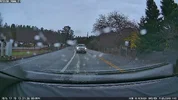
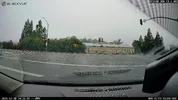
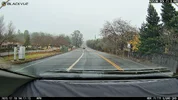
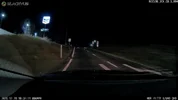
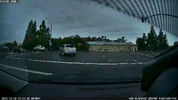
While this comparison has some challenges [different day, different sky conditions, Elite 9 front CPL not adjusted correctly], here's a couple of frame grabs. The Elite 9 has been installed in the same window locations as the DR970X Plus cameras. After the drive with the Elite 9 in the car, I corrected the CPL adjustment for the Elite 9. The weather is going to be challenging this next week. I'll try to get some better comparison footage as soon as the weather permits.

DR970X Plus - HDR, third party CPL filter
DR970X_Plus_20251219_133054_NF.mp4_snapshot_00.42.webpDR970X_Plus_20251219_133054_NR.mp4_snapshot_00.42.webp

Elite 9 - HDR, BlackVue CPL [not adjusted correctly]
Elite9_20251220_141137_NF.mp4_snapshot_00.38.webpElite9_20251220_141137_NR.mp4_snapshot_00.36.webp
 
Based on the clips i have seen the Elite 9 is looking to be a very good upgrade and better than the U3000 Pro at reading plates and recording details. The night videos of the U3000 Pro looks to be black and white and not much detail (kinda like my current U1000).

Howver parking mode on the thinkwares seems more comprehensive than the blackvues. And based on my experiences with a recent parking lot hit on my car i am really trusting thinkware there. Their G sensor is crazy sensitive that it even recorded a door ding for me. And has saved me over $1,000 in damages total.
 
I updated the Elite 9's firmware from 1.002 to 1.003 since that firmware is available for update via the BlackVue app [not on the website yet].

Before I updated the firmware to 1.003, the older CM100LTE module was able to establish a cloud connection in my garage [which is difficult to do]. After the update to 1.003 firmware, the CM100LTE was not able to get a cloud connection during my entire drive around town. At stop #1 on my drive, I rechecked the "Cloud" settings making sure the T-Mobile APN was properly selected [it was].

The lack of GPS signal lock continued with 1.003 as well. At the second stop along my drive, I powered down the Elite 9 and removed the USB connection from the CM100LTE. For the remainder of the drive, the Elite 9 had a GPS signal lock [blue LED on].

Unless T-Mobile [my SIM card provider] had a service outage right as I updated to 1.003, my CM100LTE should have connected to the cloud again.

So far, firmware 1.003 has not fixed anything for my Elite 9 installation.
 
I noted today that it took >20 mins to get a GPS lock this morning, this evening (with clear skies) it was still taking 15 minutes to get the blue LED flashing then a couple of minutes before a 'lock. I'll update to 1.003 this evening.
 
Regarding the lack of a GPS signal lock when the Elite 9 is using the CM100LTE [not the CM100GLTE]. The Elite 9's "detection logic" when a connectivity module is connected to it is currently a bit flawed. It seems to believe that if a connectivity module is connected to it that it must be a CM100GLTE module. When the connectivity module is removed from the Elite 9, the Elite 9's internal GPS receiver almost instantly obtains a GPS signal lock. When the Elite 9 is connected to a CM100GLTE module, it farms out the GPS data function to the connectivity module successfully. It's when the CM100LTE [non GPS enabled] connectivity module is used, it's not doing the correct thing. On the BlackVue sales site, the Elite 9 sales page lists a non GPS version of the connectivity module as an option for Japan. Pittasoft needs to make the Elite series figures out which connectivity module is connected.

The SIM card problem I encountered after upgrading to the 1.003 Elite 9 firmware still continues. The T-Mobile SIM card works great in the CM100LTE or CM100GLTE connectivity module as long as it's used with something other than the Elite 9 with firmware 1.003 installed. The Elite 9 running firmware 1.003 will obtain a LTE data connection and a BlackVue Cloud service connection when a BlackVue SIM card is used, just not a T-Mobile SIM card. I was beginning to wonder if my T-Mobile SIM card has become damaged or my T-Mobile account had been disabled. I was able to successfully use my older DR970X Plus dash camera with firmware 2.006 and the T-Mobile SIM card. I've submitted all of my test results to PIttasoft.
 
The problems I had trying to use an older CM100LTE module with the Elite 9 with firmware 1.003 have been fixed. I was given a test copy of the upcoming 1.004 firmware. That firmware figures out that the connectivity module is a CM100LTE module so the dash camera continues to perform the GPS function [blue GPS LED is on in the picture]. Firmware version 1.004 also resolves the problem I had using a T-Mobile SIM card with firmware 1.003 [A/C LED is Green]. What a difference a day makes!

1766563513654.webp
 
I had no problems on 1.0.2 like @Vortex Radar was having.
But now since updating to 1.0.3 I too am now having intermittent connection issues over LTE.
So I'm hoping the 1.0.4 test firmware you've got will fix things as it's gone backwards for me.

1000077967.webp
 
I had no problems on 1.0.2 like @Vortex Radar was having.
But now since updating to 1.0.3 I too am now having intermittent connection issues over LTE.
So I'm hoping the 1.0.4 test firmware you've got will fix things as it's gone backwards for me.
My connection issues were related to using a T-Mobile SIM card. It wouldn't work at all with firmware 1.003, but it was working with firmware 1.002. I reconfigured the Cloud connection settings multiple times, but when I used the T-Mobile SIM card there was no LTE connection at all. When I switched to a BlackVue SIM card, I could obtain a LTE connection very quickly. I drove around town with 1.003 firmware and the T-Mobile SIM card and it never obtained a connection. With firmware 1.004, the T-Mobile SIM card works just fine. It gets a connection quickly and I was able to perform remote live view sessions for the front / rear cameras.

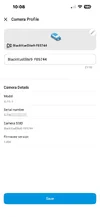
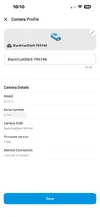
The remaining odd thing is the BlackVue app's "Camera Profile" screen shows the "Internet Connection" SIM card info for the BlackVue SIM card, not the T-Mobile SIM card. I'm wondering if this a refresh/update issue similar to the firmware version issue they recently fixed. I've sent info on this one remaining think to Pittasoft.

The T-Mobile SIM card is in the left picture. The "Internet Connection" field states it's a BlackVue SIM card with the identifying digits from the BlackVue SIM card.

I'm going to delete the camera from the BlackVue Cloud, delete the camera entry in the app and then re-add it. I want to see if it refreshes the data from the camera like it should. That worked for the firmware version before the BlackVue app was updated to fix that problem a couple of weeks ago.

1766597847275.webp
1766597902280.webp
 
I'll try completely removing the camera/cloud and resetting. See if that resolves it.
We don't have BlackVue SIM in the UK, only third party ones. My current one is 'Three'
 
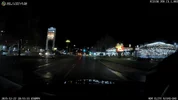
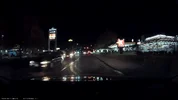
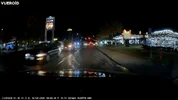
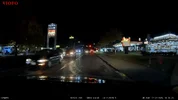
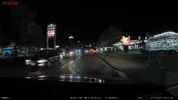
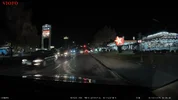
In my rush to test T-Mobile SIM card problem with firmware 1.003, I drove around town with only a memory card in the Elite 9 and not the five other dash cameras [it was the end of a very long day]. This was the first drive with the Elite 9 at night. I found a location along my driving route I have footage from the Elite 9 and the five other dash cameras from 03-Dec-2025. Back then, I hadn't installed the N4 Pro S yet.

Overall the Elite 9's front camera image quality is very similar to the other five in these lighting conditions.

01_Night_Elite9_20251222_205310_NF.mp4_snapshot_00.01.webp01_Night_U3000Pro_REC_20251203_180453_F.MP4_snapshot_00.53.webp01_Night_S14K_20251203_180448_INF_F_N.mp4_snapshot_00.57.webp01_Night_A329S_2025_1203_180509_006438F.MP4_snapshot_00.36.webp01_Night_A229Ultra_2025_1203_180507_003345F.MP4_snapshot_00.40.webp01_Night_A229Pro_2025_1203_180507_002822F.MP4_snapshot_00.39.webp
 
Thanks, those are great comparison shots - is there a function in the Vueroid software that is masking the smiley face in the sign?
 
Thanks, those are great comparison shots - is there a function in the Vueroid software that is masking the smiley face in the sign?
That particular illuminated sign will have waves of gray move across its surface as I drive by it. HDR being enabled seems to trigger this behavior when driving by this sign at night.
 
My connection issues were related to using a T-Mobile SIM card. It wouldn't work at all with firmware 1.003, but it was working with firmware 1.002. I reconfigured the Cloud connection settings multiple times, but when I used the T-Mobile SIM card there was no LTE connection at all. When I switched to a BlackVue SIM card, I could obtain a LTE connection very quickly. I drove around town with 1.003 firmware and the T-Mobile SIM card and it never obtained a connection. With firmware 1.004, the T-Mobile SIM card works just fine. It gets a connection quickly and I was able to perform remote live view sessions for the front / rear cameras.

The remaining odd thing is the BlackVue app's "Camera Profile" screen shows the "Internet Connection" SIM card info for the BlackVue SIM card, not the T-Mobile SIM card. I'm wondering if this a refresh/update issue similar to the firmware version issue they recently fixed. I've sent info on this one remaining think to Pittasoft.

The T-Mobile SIM card is in the left picture. The "Internet Connection" field states it's a BlackVue SIM card with the identifying digits from the BlackVue SIM card.

I'm going to delete the camera from the BlackVue Cloud, delete the camera entry in the app and then re-add it. I want to see if it refreshes the data from the camera like it should. That worked for the firmware version before the BlackVue app was updated to fix that problem a couple of weeks ago.

View attachment 88984 View attachment 88985
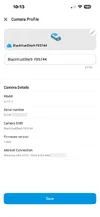
I tried the deactivating the cloud for the Elite 9, deleting the Elite 9 from the app, adding the Elite 9 as a new camera and activating the Cloud for the Elite 9. The end result was the same the "Internet Connection" showing the "BlackVue SIM" card info. Before the Cloud was fully activated for the Elite 9, the "Internet Connection" field showed it was connected via Wi-Fi [which it wasn't]. That info must be getting cached in the Elite 9 or the CM100LTE module. To make sure I'm truly using the T-Mobile SIM card, I powered down the Elite 9 and pulled the SIM card. I am using the T-Mobile SIM card in the CM100LTE module.

Here are three screenshots showing the "Camera Profile" "Internet Connection" values as I re-added the Elite 9 back to the BlackVue app.

Just after adding the camera / Just after configuring Cloud connection settings / After a successful connection to the cloud

1766601577605.webp1766601671581.webp1766601698866.webp
 
Last edited:
I gathered day and night footage for the six dash cameras in the car that has the Elite 9 dash camera installed in it. I'll be putting together a sample footage video over the next few days.

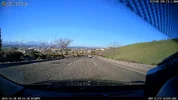
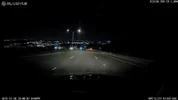
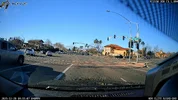
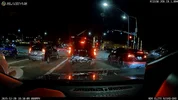
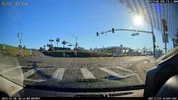
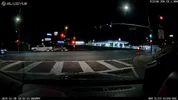
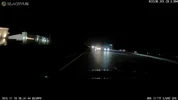
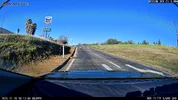
Here are a few day and night frame grabs from the Elite 9 front and rear cameras. I show the day frame grab and then the night frame grab from the same location. The window glass was cleaned before each drive.

I posted the frame grabs from a Thinkware U3000 Pro dash camera in this post: Thinkware U3000 Pro - Testing/Review - RCG - Post 20
I posted the frame grabs from a Vantrue N4 Pro S dash camera in this post: Vantrue N4 Pro S - Testing/Review - Post 11

Front: Day = CPL / Night = No CPL

01_Elite9_Day_CPL_20251228_095237_NF.mp4_snapshot_00.42.webp01_Elite9_Night_20251228_180803_NF.mp4_snapshot_00.03.webp
02_Elite9_Day_CPL_20251228_095439_NF.mp4_snapshot_00.27.webp02_Elite9_Night_20251228_181005_NF.mp4_snapshot_00.04.webp
03_Elite9_Day_CPL_20251228_101257_NF.mp4_snapshot_00.06.webp03_Elite9_Night_20251228_183126_NF.mp4_snapshot_00.44.webp

Rear:

03_Elite9_Rear_Day_20251228_101156_NR.mp4_snapshot_00.40.webp03_Elite9_Rear_Night_20251228_183126_NR.mp4_snapshot_00.17.webp
04_Elite9_Rear_Day_20251228_101257_NR.mp4_snapshot_00.06.webp04_Elite9_Rear_Night_20251228_183126_NR.mp4_snapshot_00.44.webp
 
Last edited:
Back
Top