Dashcam Viewer for Mac and Windows

I just updated to Dashcam Viewer v4.0.2 for Windows with a Plus license. When I try to open a folder with MIOFIVE S1 Ultra video files from a multi-hour trip/drive, the progress bar gets to 1 of 97 video files and then the app crashes. I tried this with video files from two different MIOFIVE S1 Ultra dash cameras from the same date/trip. I then tried it with another date's video file which has 38 video files and it crashes in the same manner. I cleared the GPS cache and tried again, the same thing. I disabled the GPS cache and the same thing.
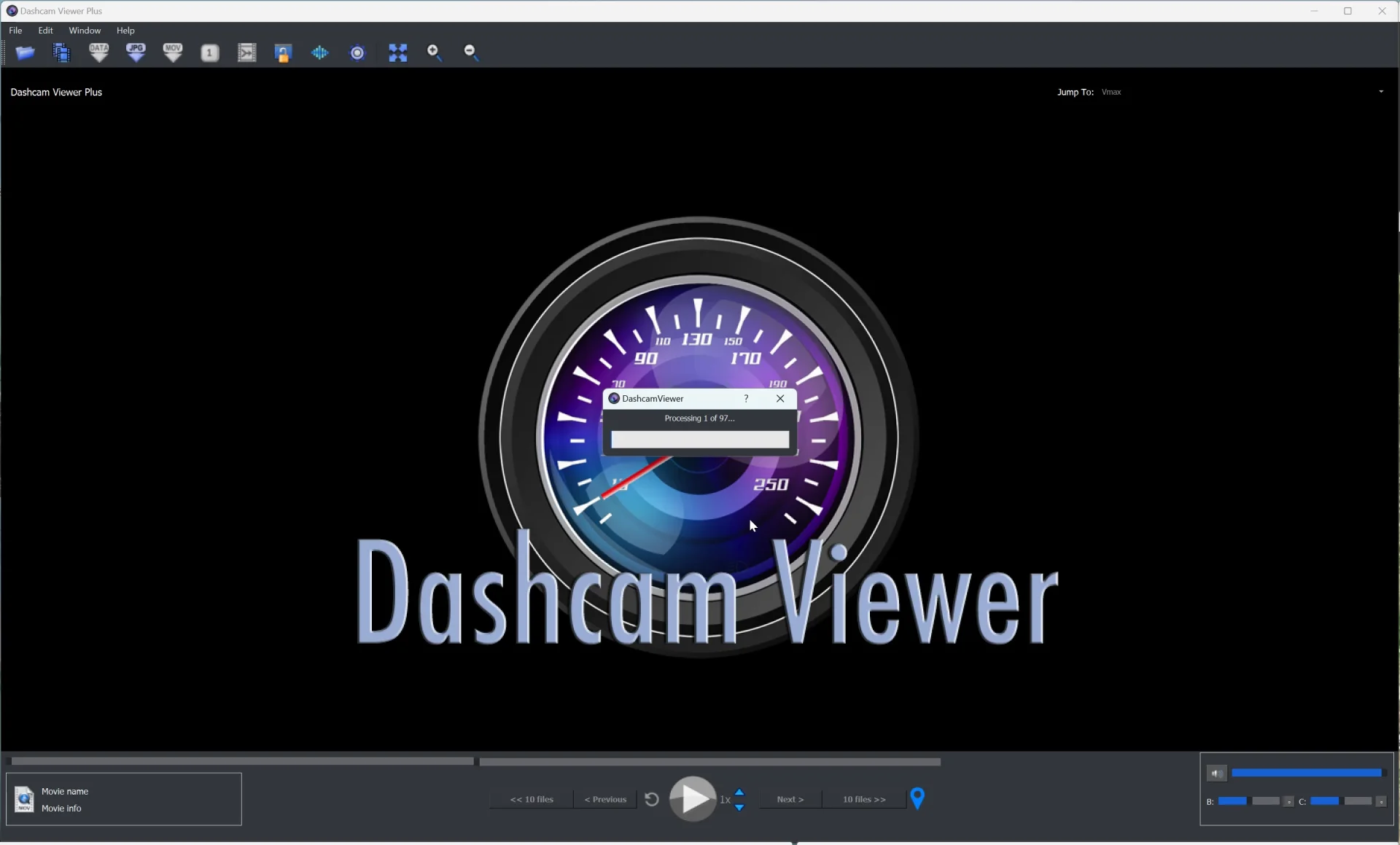
1731376660548.webp


When I downgrade Dashcam Viewer to v4.0.0, I can successfully open and play the MIOFIVE S1 Ultra video files.
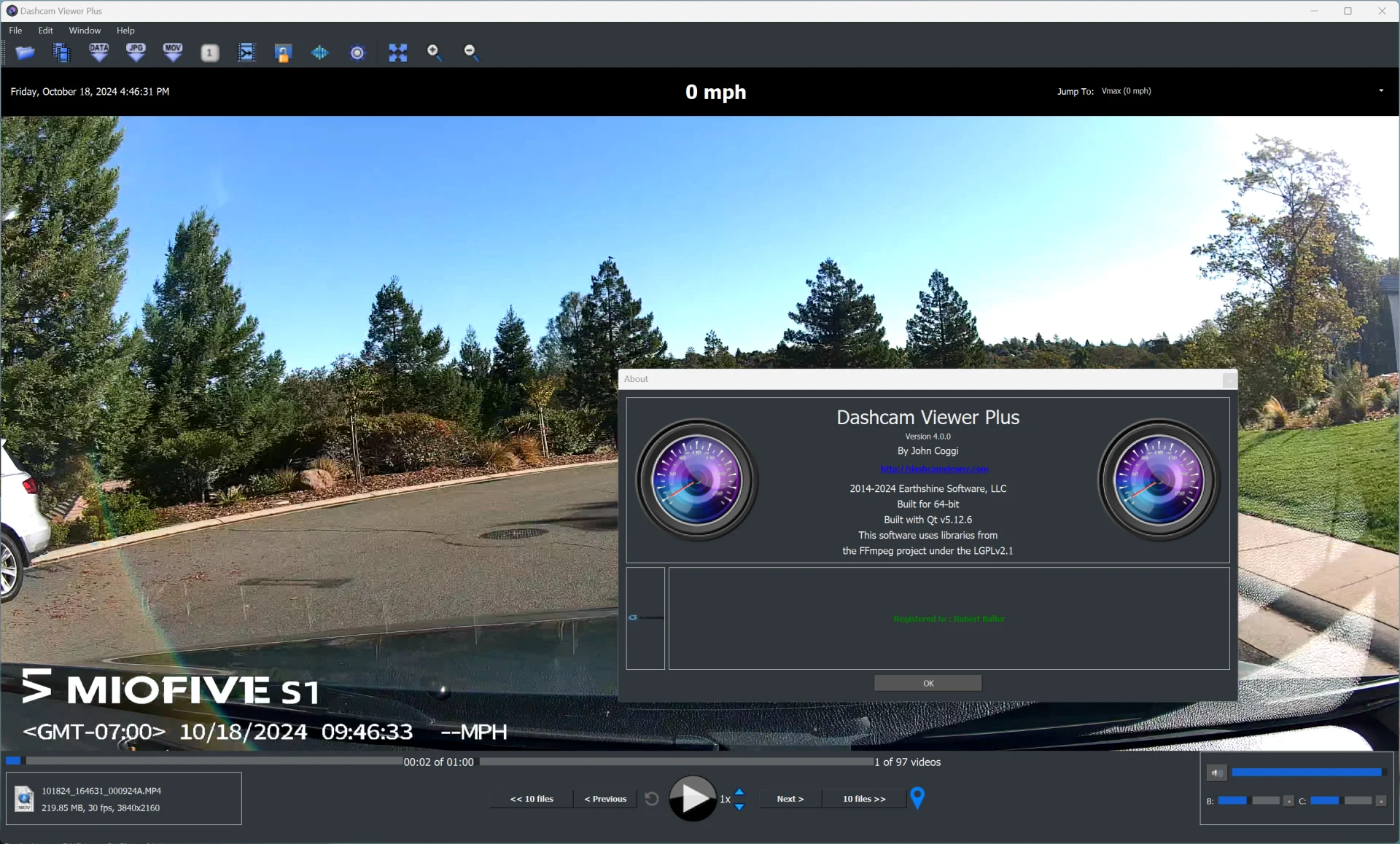
1731377137250.webp
 
@rcg530 Thanks for the update. Looks like the 3 video samples I obtained from a Miofive S1 customer were not representative of the video trade space produced by this dashcam. This isn't too surprising since I rely on customers to send me sample videos, and I can't expect them to cover every possible variation (e.g., video duration, video resolution, parking mode, emergency mode, etc., etc). Sometimes it takes a few tries to nail down all the variations (or at least the major ones).

For example, the video samples I received were 1440p. The screenshot you're showing above indicates a 4K video. So there could be a difference in the GPS data encoding scheme between the two formats. Any chance you could send me a minimal set of S1 videos that cause the crash in 4.0.2? That way I can debug and fix the issue. You can send me large files using https://wetransfer.com. Your assistance (as before) is appreciated!
 
@traveler I sent you a DM with a Google Drive folder link. The folder contains four video files from a MIOFIVE S1 Ultra (4K front / 4K Rear).

I confirmed the four files were sufficient to cause DCV v4.0.2 to crash.
 
Changed the way that DCV ascertains GPS data encoding scheme. Now the midpint file of the video group being loaded is examined for GPS data instead of the first video.
Thank you very much! 😍
With the old scheme it could be fiddly at times to get the GPS data loaded, sometimes missing the first few minutes of the trip.
 
@traveler I sent you a DM with a Google Drive folder link. The folder contains four video files from a MIOFIVE S1 Ultra (4K front / 4K Rear).

I confirmed the four files were sufficient to cause DCV v4.0.2 to crash.
Thanks, @rcg530! I've downloaded your Miofive S1 Ultra files and have verified the 4.0.2 crash. Time for a debugging session...:shifty:
 
Dashcam Viewer v4.0.3 Released

Dashcam Viewer
v4.0.3 was released tonight for both Mac and Windows. Version 4.x is a free update for all Dashcam Viewer users.

Special thanks to @rcg530 for providing test files that allowed me to find and fix the Miofive S1 DCV 4.0.2 crash. :smuggrin:

New Camera Supports:

  • Added support for Miofive S1 Ultra 2-channel dashcam
Bug Fixes:
  • Fixed bug that would crash Dashcam Viewer when loading a Miofive S1 video that had not yet acquired GPS signal.

Dashcam Viewer showing Picture-in-Picture and GPS data for Miofive S1 Ultra

Dashcam Viewer and Dashcam Viewer PRO are PC/Mac applications that allow you to play your dashcam's videos while simultaneously viewing your vehicle's location on a map. There are many other features in the software which are detailed on our website (http://dashcamviewer.com). The free version is fully-functional and allows the loading of up to 2 videos at a time.
 
Dashcam Viewer v4.0.3 Released

Dashcam Viewer
v4.0.3 was released tonight for both Mac and Windows. Version 4.x is a free update for all Dashcam Viewer users.

Special thanks to @rcg530 for providing test files that allowed me to find and fix the Miofive S1 DCV 4.0.2 crash. :smuggrin:

New Camera Supports:

  • Added support for Miofive S1 Ultra 2-channel dashcam
Bug Fixes:
  • Fixed bug that would crash Dashcam Viewer when loading a Miofive S1 video that had not yet acquired GPS signal.

Dashcam Viewer showing Picture-in-Picture and GPS data for Miofive S1 Ultra

Dashcam Viewer and Dashcam Viewer PRO are PC/Mac applications that allow you to play your dashcam's videos while simultaneously viewing your vehicle's location on a map. There are many other features in the software which are detailed on our website (http://dashcamviewer.com). The free version is fully-functional and allows the loading of up to 2 videos at a time.
Thanks for quickly resolving the crash issue when trying to load the MIOFIVE S1 Ultra video footage. I've tested it with a few different sets of S1 Ultra video files and it works correctly.
 
@traveler

Could you add an option to cancel the loading of files eg When they are being processed?
I am loading off a slow device and want to stop the dashcam viewer from loading any more files.
Thanks.

Dashcam Viewer unable to cancel file processing.gif
 
@traveler

Could you add an option to cancel the loading of files eg When they are being processed?
I am loading off a slow device and want to stop the dashcam viewer from loading any more files.
Thanks.

@LateralNW Great suggestion! I'm working on it now...
 
Dashcam Viewer v4.0.5 Released

Dashcam Viewer
v4.0.5 was released tonight for both Mac and Windows. Version 4.x is a free update for all Dashcam Viewer users.

New Features:

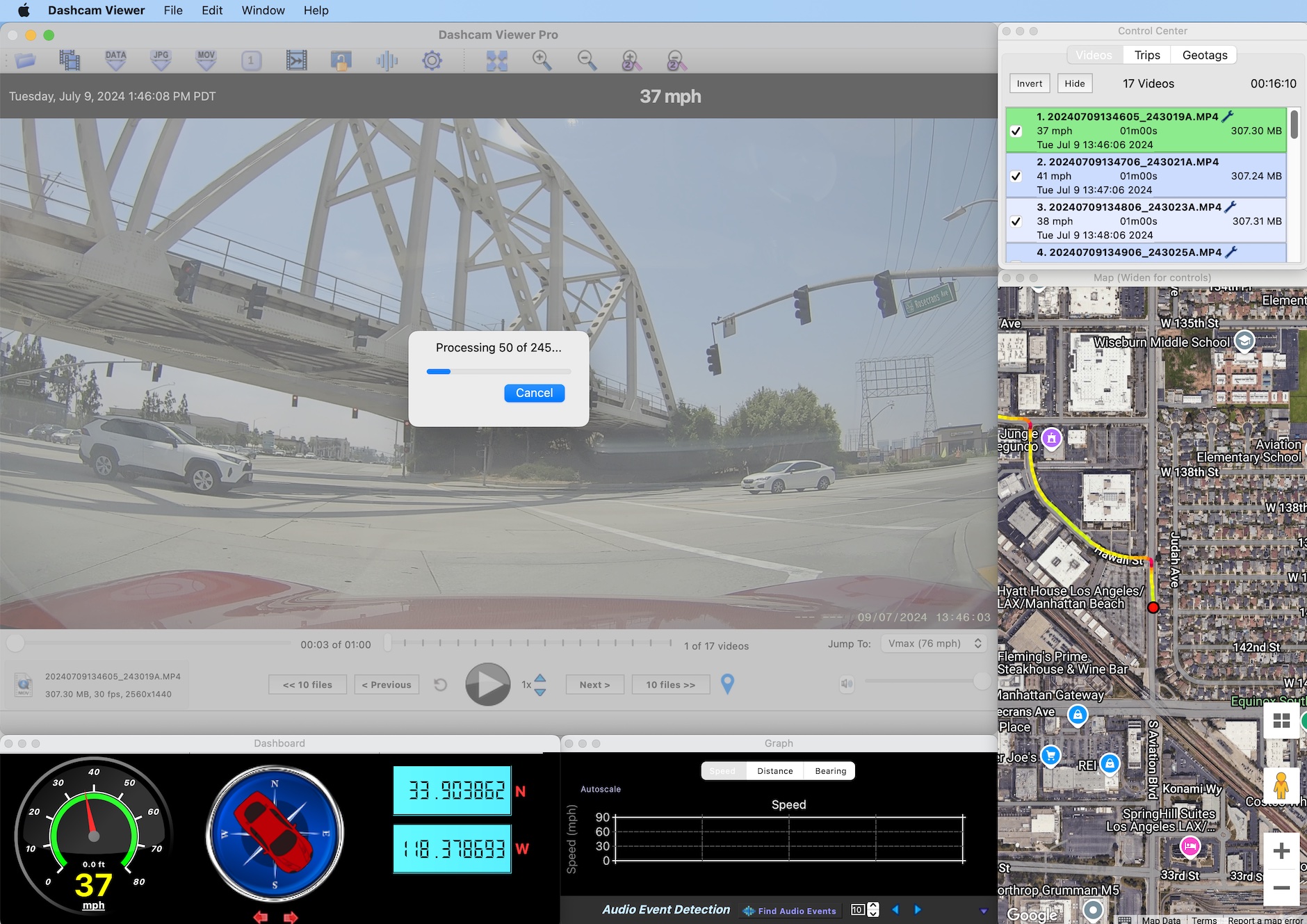
  • Added a "Cancel" button to the Video Load progress bar. Clicking the button will abort importation of a large set of video files. The video files that have been loaded up to that point will still be processed and displayed. Special thanks to @LateralNW for the suggestion. Why didn't I think of that?!

dcv_v4.0.5.jpg
Dashcam Viewer showing "Cancel" button.

Dashcam Viewer and Dashcam Viewer PRO are PC/Mac applications that allow you to play your dashcam's videos while simultaneously viewing your vehicle's location on a map. There are many other features in the software which are detailed on our website (http://dashcamviewer.com). The free version is fully-functional and allows the loading of up to 2 videos at a time.
 
Dashcam Viewer v4.0.5 Released

Dashcam Viewer
v4.0.5 was released tonight for both Mac and Windows. Version 4.x is a free update for all Dashcam Viewer users.

New Features:

  • Added a "Cancel" button to the Video Load progress bar. Clicking the button will abort importation of a large set of video files. The video files that have been loaded up to that point will still be processed and displayed. Special thanks to @LateralNW for the suggestion. Why didn't I think of that?!

dcv_v4.0.5.jpg
Dashcam Viewer showing "Cancel" button.

Dashcam Viewer and Dashcam Viewer PRO are PC/Mac applications that allow you to play your dashcam's videos while simultaneously viewing your vehicle's location on a map. There are many other features in the software which are detailed on our website (http://dashcamviewer.com). The free version is fully-functional and allows the loading of up to 2 videos at a time.

Thanks Traveler for adding this feature.
Thanks for the acknowledgement.
 
@traveler

Just did a little test and it works exactly as I had hoped. Thank you.
And the best part it will pick up where it left off next time you start in that folder.

Adding this helps a lot.

Turns out you can already do this. Thanks @DT MI
What would be even better (Pushing my buddy credit now lol) is being able to select the start and finish files you want to view eg
starts at 1100hrs and fin at 1300hrs and ignores all the other files in the directory.


Dashcamviewer now cancels loading.gif


A couple of things may have creeped in while doing the edit,
The speed increase goes to a max of 5, I think it used to go to 32 as it still goes down to -32 speed.

Also when I zoom in the screen goes back most likely due to the going past max zoom capability however I can't get it to zoom back out. Seems to get stuck.
I tried a couple of things but they didn't work.
Could you put a stop on the max zoom when reached?

Dashcamviewer fast forward max at 5 used to be 32.gif


Poor graphic due to file size was to large originally.
 
Last edited:
...is being able to select the start and finish files you want to view eg
starts at 1100hrs and fin at 1300hrs and ignores all the other files in the directory...
You should be able do that now. Click on the 'Open Video Files' icon (second from left) instead of 'Open Video Folder'.
 
Last edited:
Feature request: allow us to select and show/hide ALL camera views. There seem to be many three, four, (and more?) channel cameras coming out lately. ;-)
I just got some vantrue 3-ch 4k cameras that look like they’re doing the recording well, but the playback is sadly lacking.
 
I am unsure if this is faster as all my GPS info is stored in the video file. Is there a way to not have to fully load all my videos in a trip as it can take a while to fetch the clips and instead grab only the GPS data for example, so I can click to a location on the map, which then fully loads the specific clip that was in that location? Would it be faster than fully loading all the videos?
 
What might make the loading slower? @traveler

I have been looking at many files in one go but when I came to loading 134 files of the Viofo A229 Pro it seemed to be slower however the A329 seems to load quicker. Is there anything different in the way Dashcam Viewer processes them?

Deleted cache and did this test. Same length files. eg 1 minute

A229Pro example File size approx 260MB A329 File size approx 480MB
1736984747151.gif
2025-01-16_10-53-01.gif
 
@traveler

Just did a little test and it works exactly as I had hoped. Thank you.
And the best part it will pick up where it left off next time you start in that folder.

A couple of things may have creeped in while doing the edit,
The speed increase goes to a max of 5, I think it used to go to 32 as it still goes down to -32 speed.

Yeah, it turned out that 32x speed would cause a stutter-fest on most computers, so I dialed down the max speed to 5x.

Also when I zoom in the screen goes back most likely due to the going past max zoom capability however I can't get it to zoom back out. Seems to get stuck.
I tried a couple of things but they didn't work.
Could you put a stop on the max zoom when reached?

View attachment 75695

Poor graphic due to file size was to large originally.

I like your idea of limiting the max zoom. I'll add that to my ToDo list.

BTW, if you get into a situation where the zoom is stuck, try double-clicking in the window. This will reset the zoom factor back to 1. Alternatively, click the Reset Zoom toolbar button. If neither of these help, execute the nuclear option: Hard Reset.
 
Feature request: allow us to select and show/hide ALL camera views. There seem to be many three, four, (and more?) channel cameras coming out lately. ;-)
I just got some vantrue 3-ch 4k cameras that look like they’re doing the recording well, but the playback is sadly lacking.
Thanks for the request, @captain69. I'm seeing that 3channel and 4channel dashcams are becoming more popular these days. Supporting 3+ channels is on my ToDo list. To add this support would be a major time-consuming upgrade and would keep Dashcam Viewer "on blocks" for quite some time. Because development time is a limited resource, I have to be selective with which mods get added. Generally, the lower-hanging-fruit mods get higher priority, as do funded mods.
 
What might make the loading slower? @traveler

I have been looking at many files in one go but when I came to loading 134 files of the Viofo A229 Pro it seemed to be slower however the A329 seems to load quicker. Is there anything different in the way Dashcam Viewer processes them?

Deleted cache and did this test. Same length files. eg 1 minute

A229Pro example File size approx 260MB A329 File size approx 480MB
View attachment 76706View attachment 76707
Good observation, Lateral. You are correct: DCV's data processing methods for the A229 Pro and the A329 are different. The A329 conforms to a more optimized data encoding method which is why it's processed faster.
 
@traveler - Hi, I'm demoing your software using the latest (free) version (v4.0.5) to view footage downloaded from my Road Angel Halo Play 4K dashcam (F+R) and I have a couple of problems:

1) I can load my front and rear camera files (.mp4) but can only see the front camera's footage. The menu options for the second channel's footage are greyed out and it won't allow me to only load the rear camera file separately as it says it can only be loaded when the paired file is loaded with it. Can you help me to work out why I can't view/switch to the rear footage?

2) Although I know it records GPS data this doesn't display when I view the front camera footage. When I look at the export GPS data it all reads as zeroes so it may not be able to decode it correctly from the files, would this be correct? Can you help with resolving this?

Road Angel's own software is so rubbish it will ONLY play the rear footage, hence why I'm desperately trying to find a solution which works and yours looks ideal apart from the above.

I can provide you with copies of the two files I'm trying to view if this would help? Thanks.
 
Back
Top